
Product
Drops Bot: The Crypto Price Alerts Bot for Telegram
Drops Bot is a Telegram chatbot for crypto alerts. It monitors coins, wallets and NFTs across 22+ chains, sending instant notifications on price moves, swaps, airdrops, unlocks, gas/funding, etc.
Quick Overview
- Crypto trades run 24/7, making manual monitoring hard
- Drops Bot delivers real-time alerts in Telegram
- Supports prices, swaps, wallets, NFTs, and unlocks across 22+ chains
- Easy setup with filters for coins, wallets, and quiet hours
- Fits traders, founders, analysts, and airdrop hunters
- More flexible and unified than TradingView, DEXTools, or Nansen
- Free and paid plans with clear limits and customization options
Why Telegram Alerts Matter for Crypto
Crypto trades happen 24/7, and keeping track with different apps is tiring. Telegram bots make it easier by sending updates straight to the chat you already use. These bots can share on-chain events like transfers, balance changes, liquidity moves, prices, and gas fees. Instead of checking charts or block explorers all the time, you just pick what to follow—coins, wallets, or NFTs. Drops Bot then sends quick alerts, like “BTC +5%” or “Wallet 0xXYZ sent 500 ETH,” so you get the info you need right away and can act fast.
Drops Bot at a Glance
Price & Swap Alerts
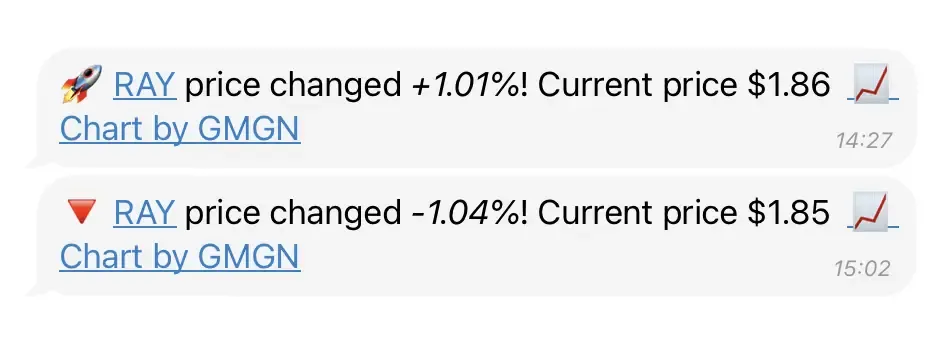
Track any token by ticker or contract. Set alerts for price changes, levels, or big DEX trades (like Uniswap or Pancake). Example: “Alert if UNI trades over $50K.” Works on both exchanges and blockchains.
Trading Features
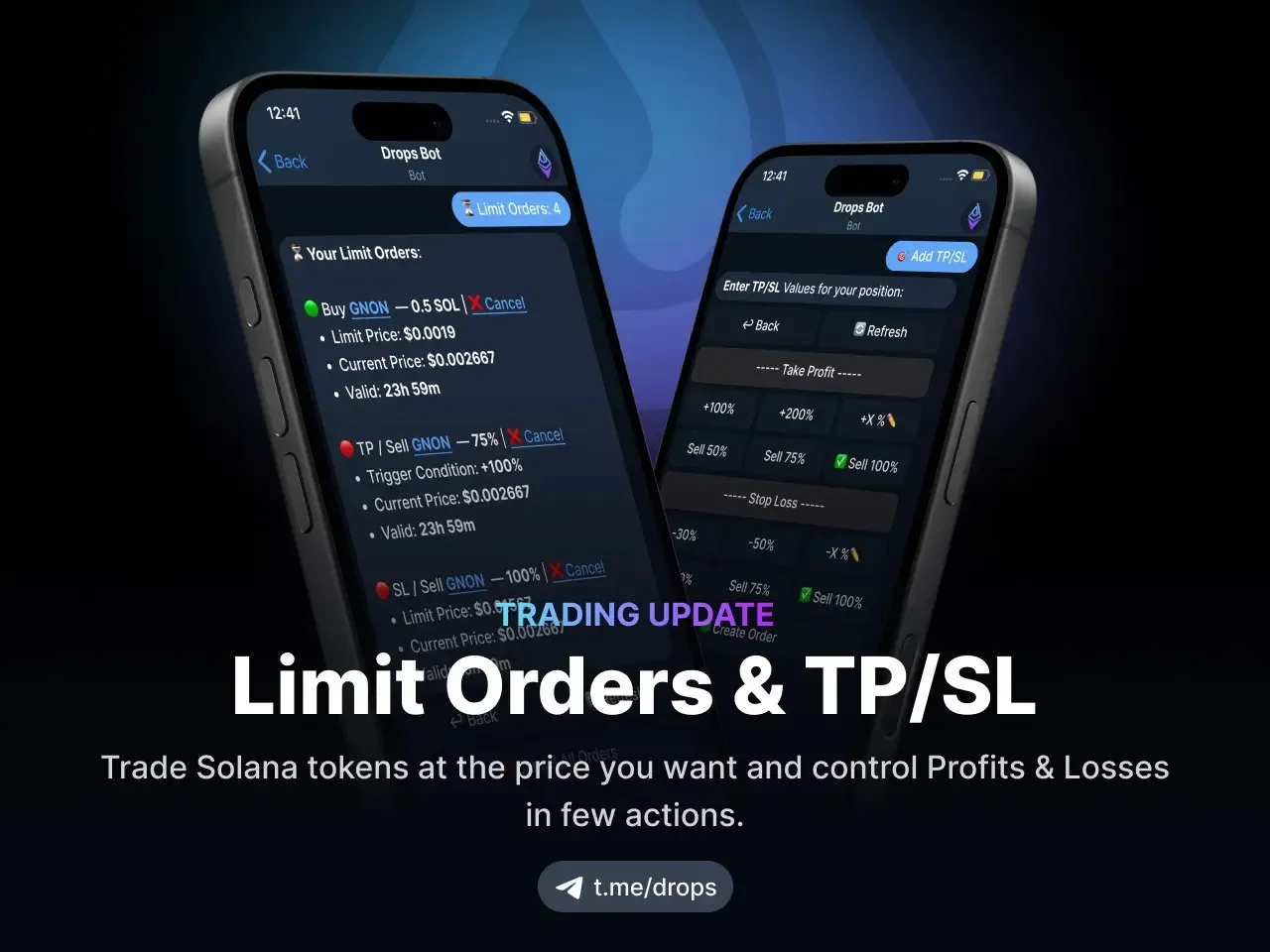
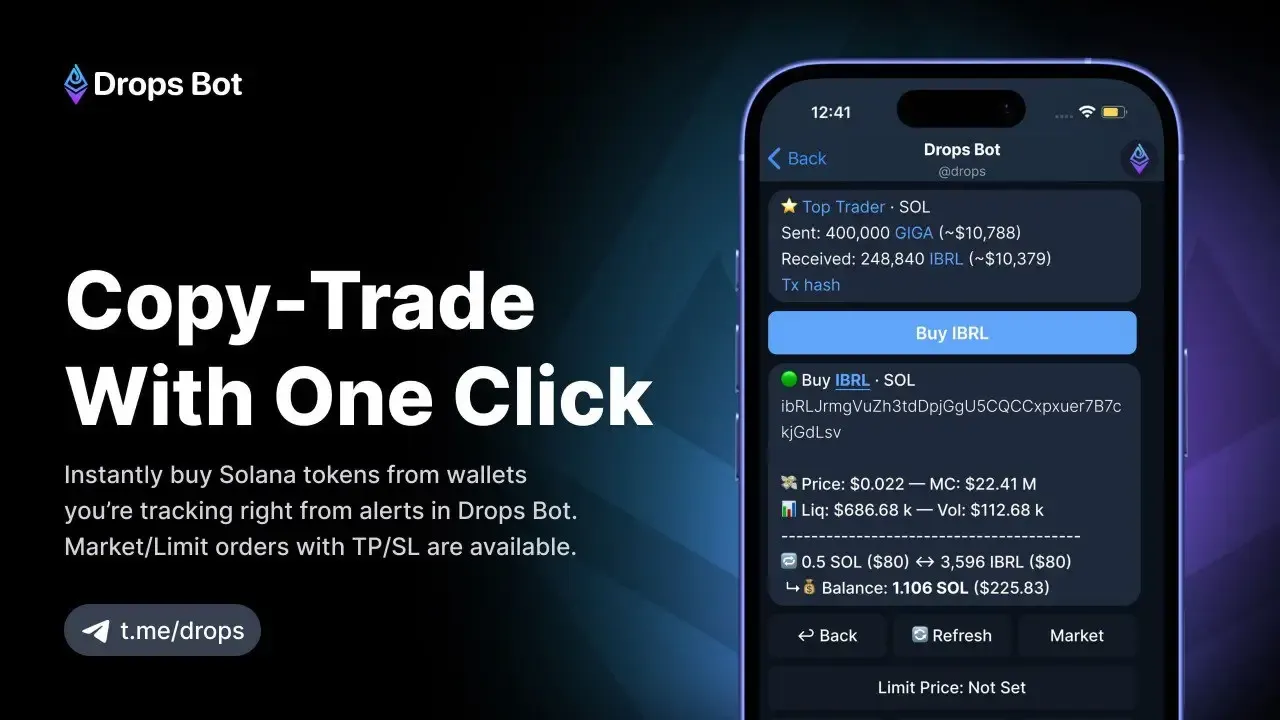
Drops Bot now goes beyond alerts with in-app trading tools. You can place limit orders on Solana tokens directly inside Telegram and manage positions with Take Profit / Stop Loss (TP/SL) settings. Example: set a buy at $0.0019 and auto-sell 75% if the price doubles. This gives traders full price control without leaving chat.
Token Unlocks
Get alerts when tokens from vesting rounds unlock. Since unlocks can affect prices, Drops Bot tracks them automatically.
Wallet Tracking
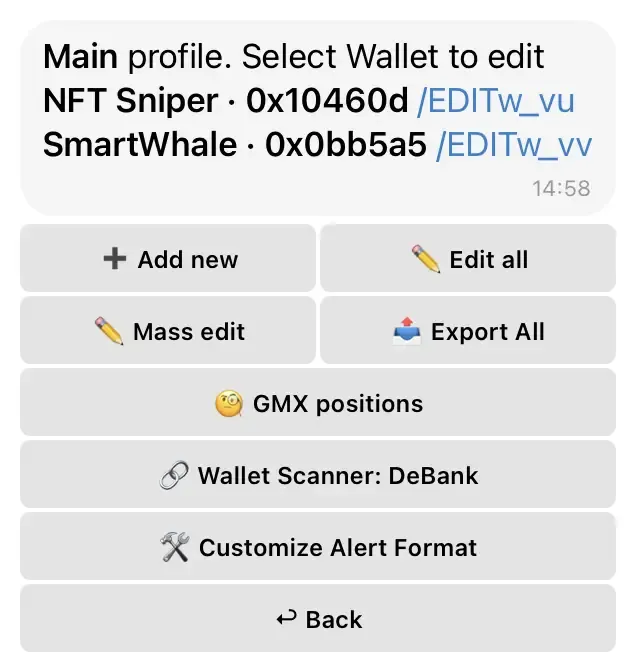
Follow any wallet with Tracking → Add → Wallet. See transfers, swaps, NFT mints, or new contracts. Filter by size or type. You can also track leveraged trades, like GMX longs or shorts.
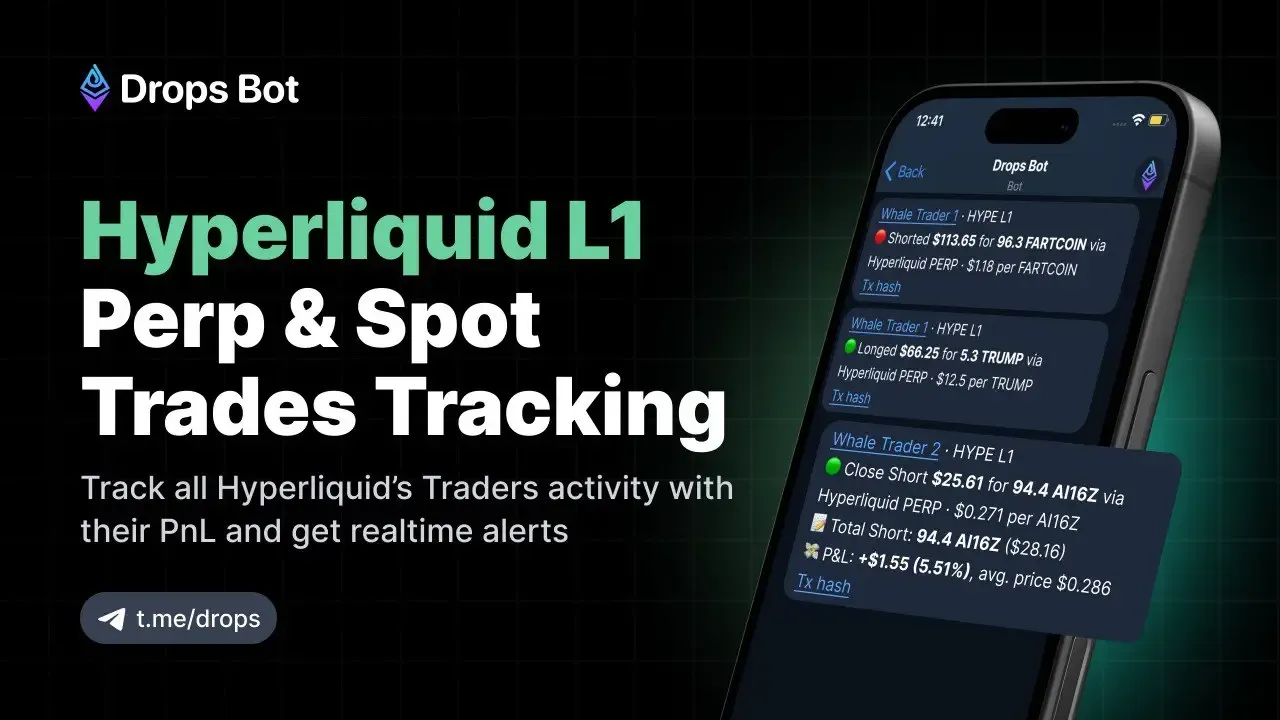
Drops Bot now supports perpetual and spot trade alerts on Hyperliquid’s Layer 1. Users can follow entries, exits, and even liquidations, with instant PnL updates and one-tap transaction hashes via HypurrScan. Free users can track up to 20 wallets, making it easy to monitor top traders or whale activity on Hyperliquid in real time.
Copy-Trade
Drops Bot now lets you buy Solana tokens directly from wallet alerts. When tracking a top trader or whale wallet, you can tap Buy to mirror their moves instantly inside Telegram. Market and limit orders with TP/SL are supported, so traders can act on wallet intelligence without leaving chat.
NFT Monitoring
Add NFT collections to watch floor-price changes, rare mints, and volume spikes. Easily see whale moves without checking OpenSea.
Network Coverage
Covers 22+ blockchains like Ethereum, BNB Chain, Polygon, Arbitrum, Avalanche, and Fantom. Auto-detects networks from contracts and adds extra data from Debank, Blockscan, and OKX Web3.
Gas & Funding Rates
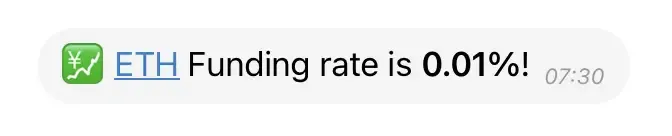
Set ETH gas alerts in gwei to time transactions. Track Binance Futures funding rates to spot market sentiment.
Group & Channel Integration
Add Drops Bot to Telegram groups or channels. Alerts appear instantly and can be shared with custom profiles.
Customizable Notifications
Pick what details show in alerts—addresses, prices, charts, or quick buttons. Hashtag mode adds searchable tags.
All together, these features let you watch prices, wallets, NFTs, and token events in one Telegram bot instead of many apps.
Add the Bot and Configure Your First Alerts
Add the Bot
In Telegram, search for @drops (the Drops Bot) and tap Start. It will greet you with a menu. No private keys or personal data are needed – just the token contracts or wallet addresses you choose to track.
Add a Coin
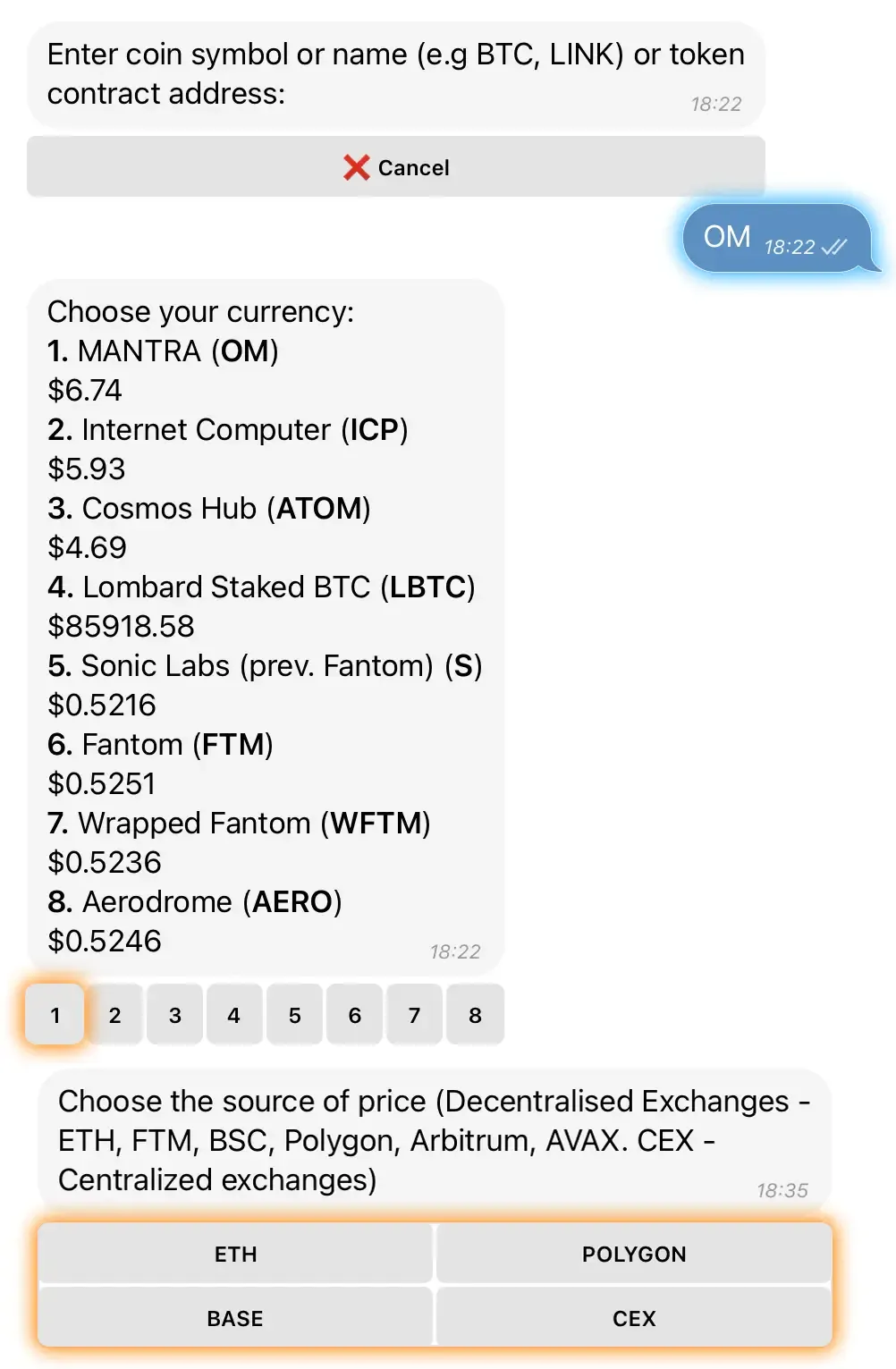
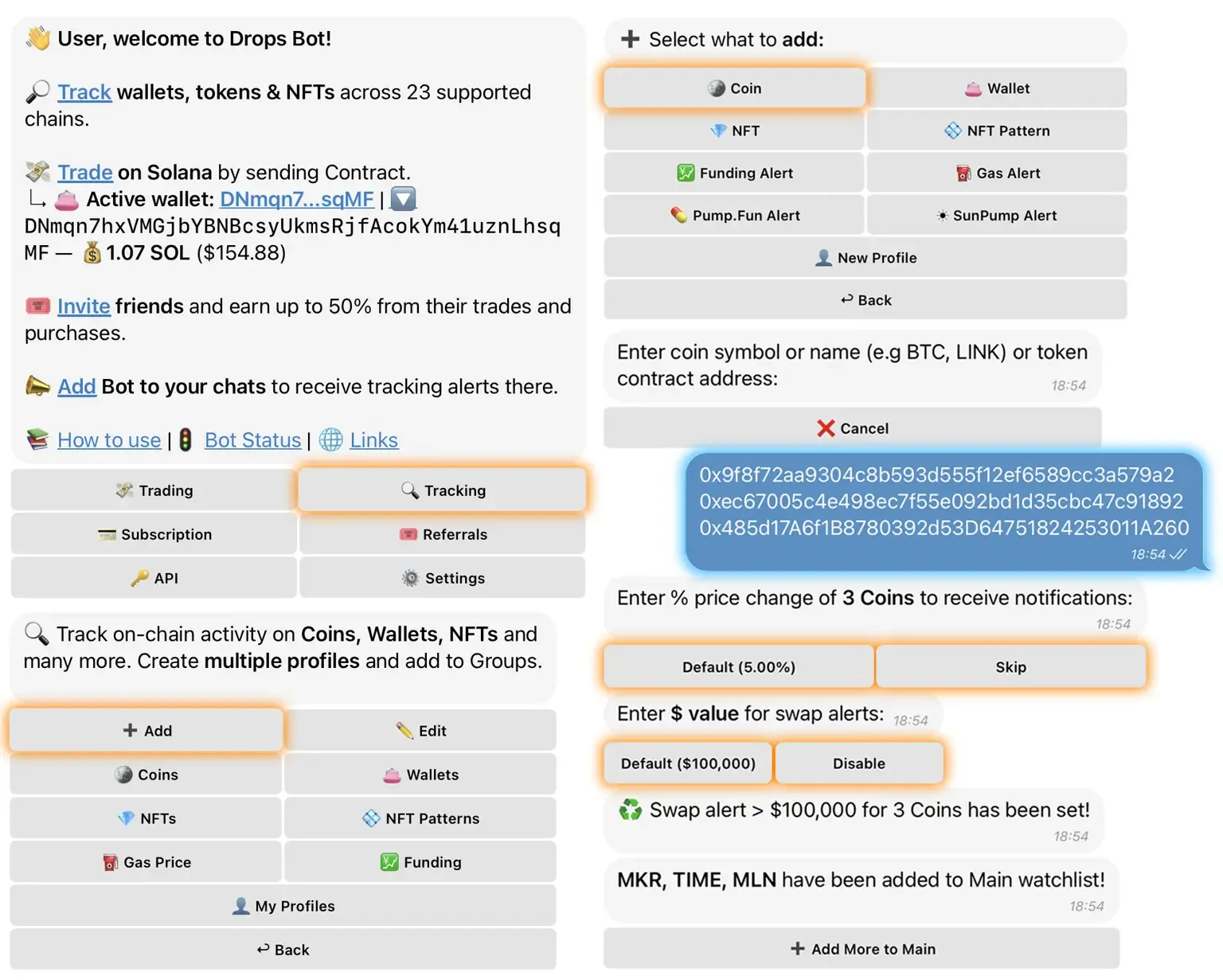
Tap Tracking → Add → Coin, then enter a coin’s ticker or contract address. If you enter a contract, Drops Bot auto-detects the blockchain. If you entered a ticker, pick the network (e.g. ETH, BSC, Solana).
Next you’ll set your alert criteria: for example, “price change = +5%” or “swap volume > $1,000”.
The bot then confirms and adds the coin to your watchlist. (You can also bulk-add coins by sending multiple contract addresses or uploading a text file.)
Add a Wallet
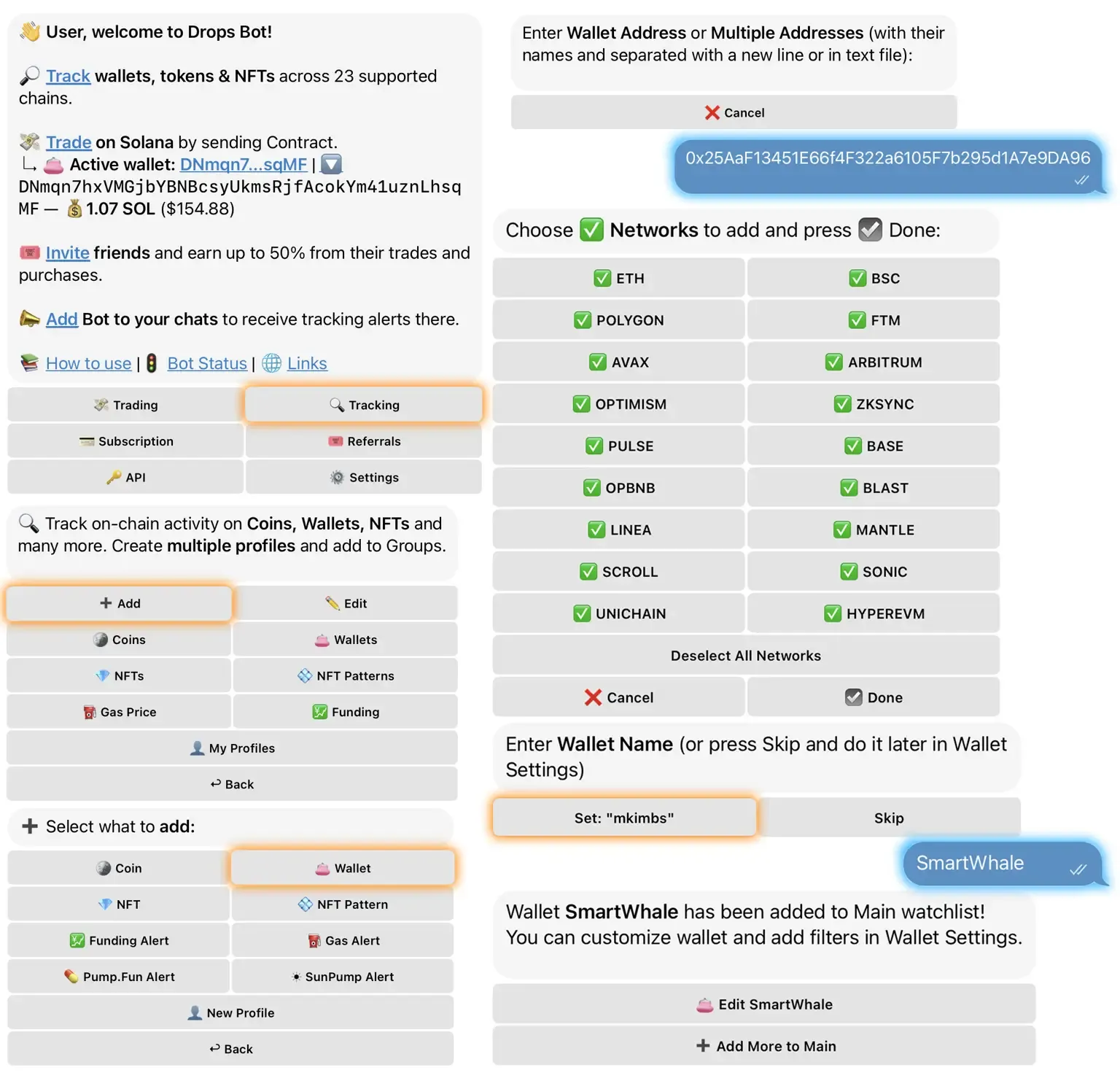
Similarly, use Tracking → Add → Wallet. Enter the wallet’s contract address, choose which networks to monitor (by default it’s all you’ve enabled), then name it (optional). The bot reports back that the wallet is now being tracked.
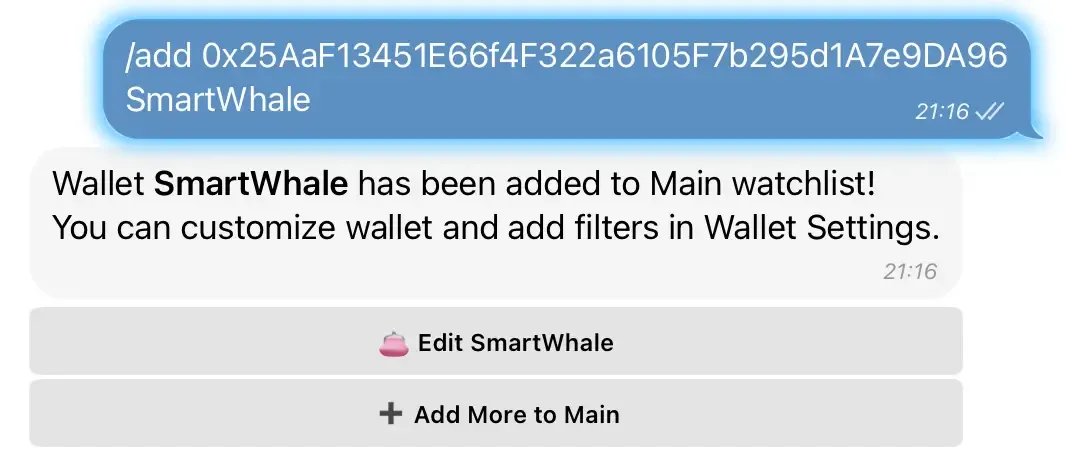
For power users, you can also/add0xABC… MyWhalein one command or import a file with many addresses.
Set More Alerts
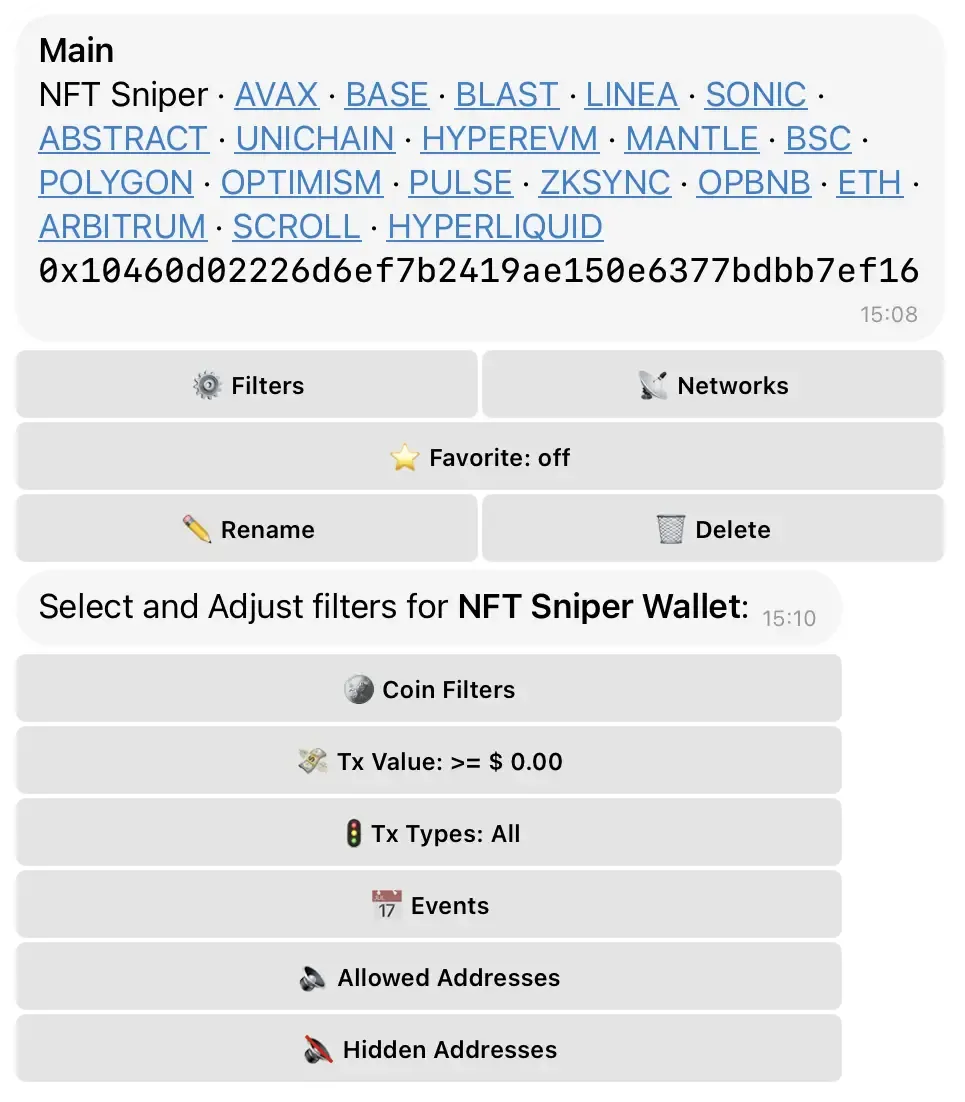
You can repeat “Add Coin/Wallet” for as many items as you like (within your plan’s limits). In each coin’s or wallet’s settings, tweak filters – e.g. only alert on transactions above $X, ignore certain token types, set time windows, etc. You can even schedule “quiet hours” by simply toggling alert filters off at night to reduce noise.
Receive Alerts
Once alerts are configured, Drops Bot will send you instant messages when conditions are met.
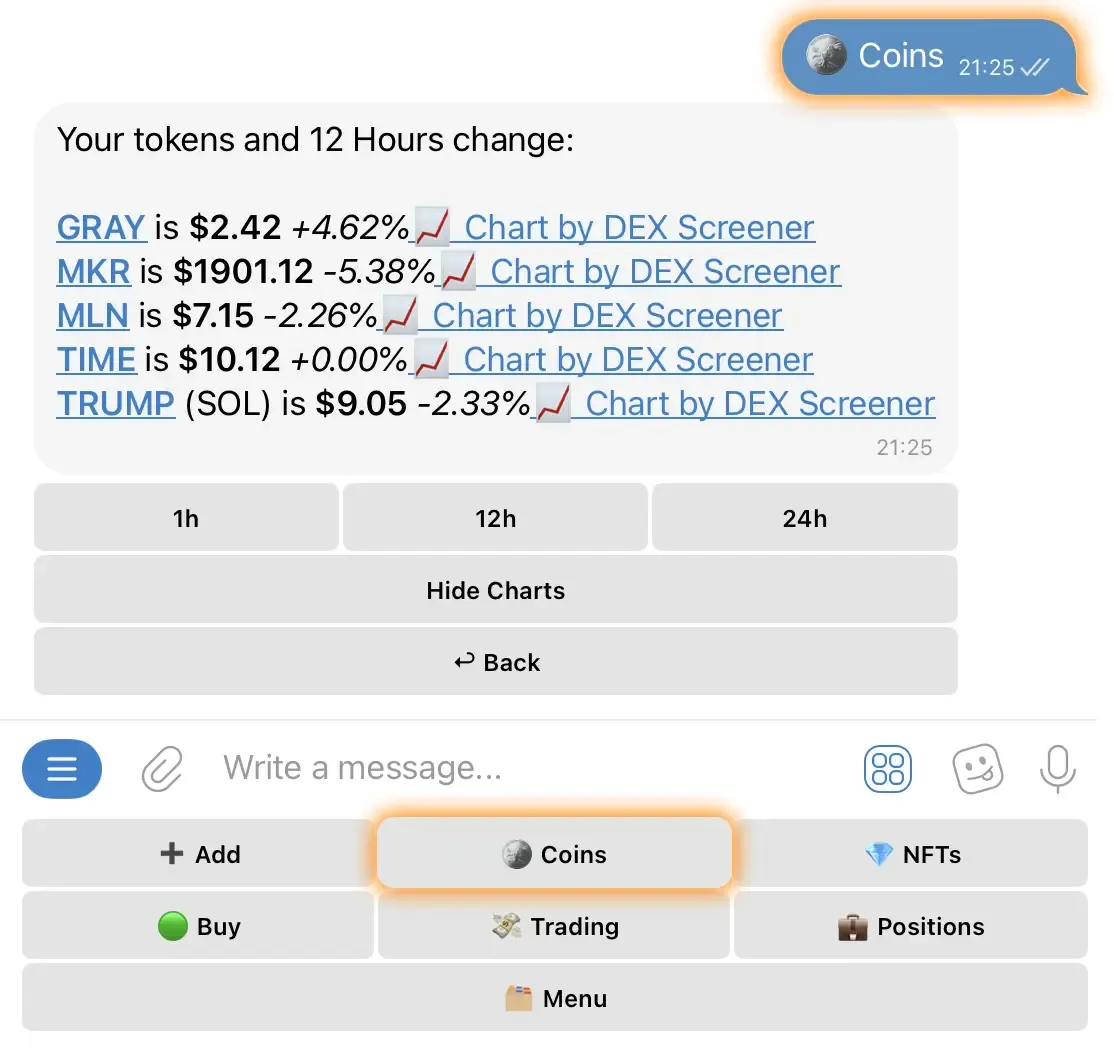
For example, you might see “🚀 ETH price changed +5.1%! Current: $4,520” or “💰 Wallet 0x1234 just received 500 USDT” as soon as the event happens.
You can tap on these messages for more details or charts (if enabled).
Getting up and running takes just minutes. The official docs walk through each step. If you run into issues, the built-in FAQ and /help can assist. Subscriptions impose limits (e.g. the free plan allows up to 20 coins and 20 wallets, with 100 alerts/hour), so you may upgrade if you’re a heavy user.
Use Cases by Role
Traders
Drops Bot gives quick trade signals. A day trader can set “BTC up 10% in 1h” to catch breakouts or watch big DEX swaps on altcoins to spot action. Margin traders use funding-rate alerts to guide positions. Example: “Alert if SOL funding rate >0.05%.”
Community Managers & Founders
Teams can keep an eye on treasury wallets for large transfers and track competitor wallets. Alerts on token unlocks help plan messages. CMs can also follow NFT whales to see how market sentiment may change.
On-Chain Analysts
Analysts follow wallets of whales or VC funds. Alerts like “>$500K LINK swap” or “exchange inflow detected” give early signals. Data from Debank and other sources adds context, making Drops Bot a fast alert tool for analysis.
Airdrop Hunters & Builders
Users can watch wallets tied to testnets, mints, or new token launches. Example: track a bridge address for airdrop claims or set alerts on official contracts at launch. Builders can also track competitor projects to react quickly.
Drops Bot adjusts to each role, replacing many tools with one Telegram bot.
Drops Bot vs Other Alert Tools
Drops Bot gives all-in-one crypto alerts right in Telegram. It works on 22+ blockchains and covers price changes, big swaps, wallet activity, NFT floors, token unlocks, gas, and funding rates. Alerts are easy to set up and can be customized.
TradingView + Telegram
TradingView with Telegram works well for chart-based price alerts but needs webhooks and a paid plan. It cannot track wallets or on-chain moves.
DEXTools Alerts
DEXTools Alerts focus on DeFi trading pairs. They are good for new tokens and liquidity changes on Ethereum, BNB, and Polygon, but they do not track wallets or NFTs.
Birdeye Alerts
Birdeye Alerts scan chains like Solana, Ethereum, and BSC. They show trending tokens and whale trades but have fewer options for fine-tuning.
Arkham/Nansen
Arkham and Nansen offer pro dashboards with wallet labels and analytics. They cover many blockchains but are costly, complex, and not Telegram-first.
Whale Alert and similar bots stream large transfers but have limited customization.
Drops Bot
Drops Bot stands out by putting multi-chain alerts in one Telegram feed. It combines wide coverage, wallet and token tracking, and flexible filters—cutting the need for many separate tools.
While most alert tools stop at signals, Telegram trading bots have rapidly grown into full trading platforms. In just a year they scaled to $70M+ daily volume, with Solana powering most of that activity. Trojan, BONKbot, Maestro, and Drops Bot are now shaping how retail users trade inside chat apps. We explored this shift in our piece on top Telegram trading bots.
Tips, Limits, and Best Practices
Plan Limits
The free plan lets you track 20 coins, 20 wallets, and get 100 alerts each hour. Paid plans allow up to 2000 alerts. To avoid spam, set useful thresholds and skip tiny 0.1% price alerts.
Combine Filters
Cut down on noise by combining rules. Example: “Alert if ETH goes up 3% and volume is over $500K in 5 minutes.” For wallets, use filters to ignore small transfers and focus on big moves.
Quiet Hours
There’s no built-in “do not disturb,” but you can turn off certain categories in settings or mute the chat. Later, re-enable them or leave only top alerts on.
Groups and Channels
Add Drops Bot as an admin in groups or channels so it can post alerts. Create different profiles for each group. Caller Mode for referral links is optional.
Caller Mode
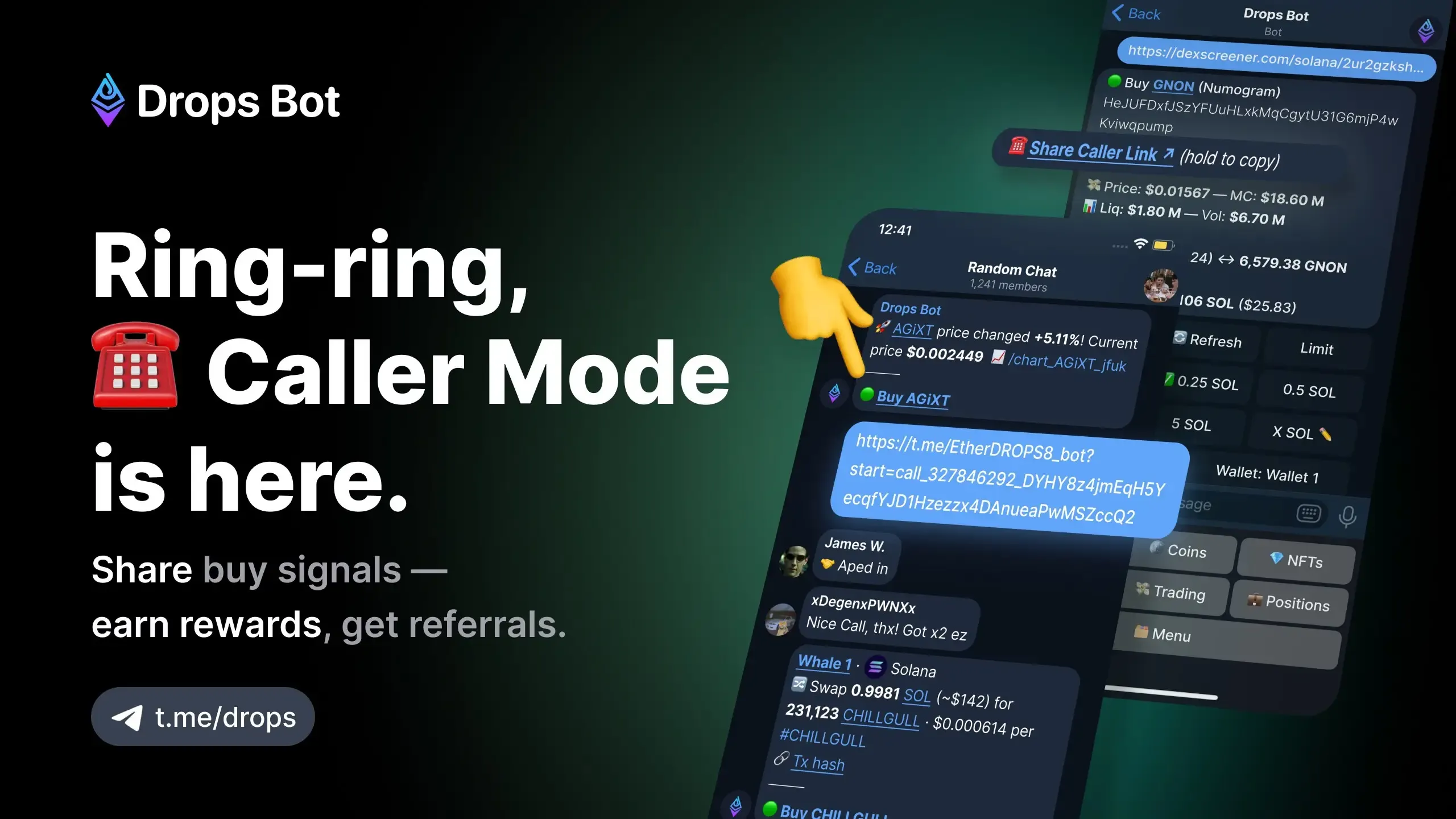
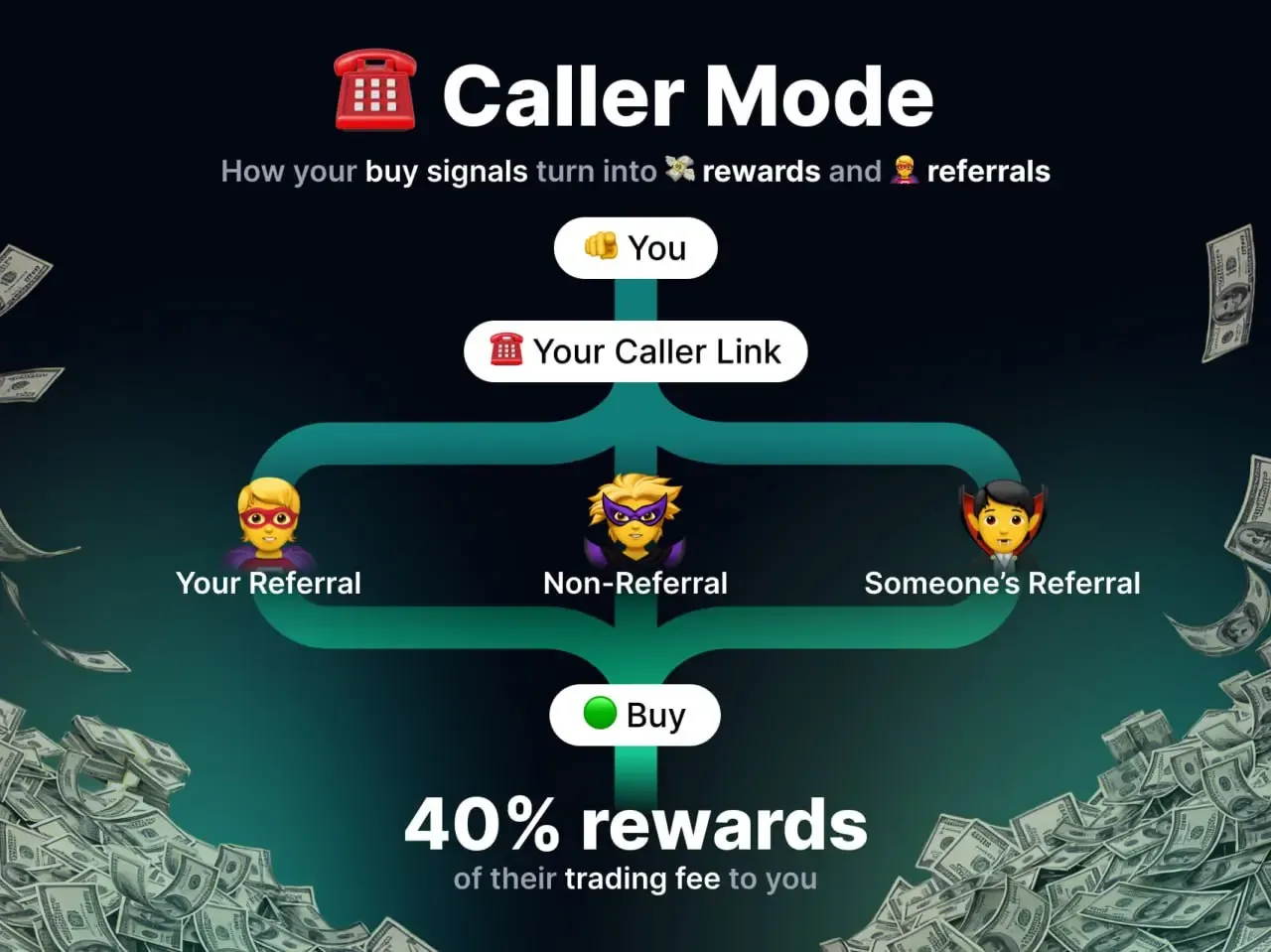
A new way to share buy signals and earn. Users can generate a Caller Link and share it directly, or add Drops Bot to a chat where each buy alert includes a referral credit. Referrers now earn not only 30% from invites but also 40% of trading fees whenever someone buys Solana tokens through their Caller Link. This makes Drops Bot a tool for both monitoring and community-driven growth. Read the full guide.
Caller Mode Guide
Users can now share a Caller Link for any Solana token and earn rewards. Just open 💸 Trading → Buy, paste the contract, then tap Share Caller Link. Every trade made via your link credits you with 40% of trading fees, plus 30% from new referrals. This makes Caller Mode both a referral engine and a way to monetize buy calls directly in Telegram.
Privacy
The bot only tracks tokens and wallets you choose. It uses public blockchain data and optional services like Debank or Blockscan. It never asks for private keys, and tracking stops when you remove an address.
Avoid Duplicates
Don’t add the same wallet or contract twice. Use the dashboard (/coins or /wallets) to review what’s tracked and prevent duplicate alerts.
Integrations
Power users can forward alerts to Slack or link them with trading bots. DropsTab’s API also lets you combine alerts with on-chain analytics for custom setups.
Best Practice: Use clear thresholds, respect plan limits, and fine-tune filters so alerts stay useful and easy to manage.
From Alerts to Actionable Workflows
Alerts are only the beginning. With Drops Bot, you can check the dashboard for past data or open charts right from Telegram. Developers can use the DropsTab API, like the /tokenUnlocks endpoint, to build custom bots or link alerts to spreadsheets and trading bots.
In the future, expect more alert types, language support, and deeper integrations—maybe even one-click trading options.
Drops Bot turns Telegram into a complete crypto alert hub. It scans prices, wallets, and tokens automatically, giving you the right info at the right time: https://dropstab.com/products/drops-bot