
Product
Crypto Portfolio Tracking Tips Using DropsTab
Crypto portfolios change over time — allocations drift, exposure shifts, and risk builds unevenly. DropsTab helps you track those changes clearly by focusing on performance, exposure, and structure, so you can understand what’s happening before deciding what to do next.
Key Takeaways
- Use portfolio tracking to understand performance and allocation, not just price changes.
- Track exposure by thesis and category, not by blockchain or token count.
- Use public portfolios for context and comparison, not signals to copy.
- Rely on sorting, categories, and Total Portfolio views to spot concentration and drift early.
What Is the Portfolio Feature
The portfolio feature is designed for tracking and analysis, not trading. It helps you see how your assets perform, how your exposure is distributed, and how your portfolio changes over time.
Instead of reacting to short-term price moves, it highlights allocation shifts, concentration, and whether your portfolio still matches your original idea — before those changes turn into real risk.
It’s also important to understand that portfolios are often for viewing purposes only and are not deposited, which is why any claims about “locked funds,” fees, or support calls are, in most cases, impersonation scams.
Why Use DropsTab Portfolios?
Good portfolio tracking starts with clear numbers. If you can’t see what’s happening to your capital, it’s hard to make informed decisions.
DropsTab shows how your total balance changes over time, how each asset performs on its own, and how much weight each position carries. This makes it easier to spot weak positions and see when a few assets are driving most of the risk.
All metrics update in real time, so shifts in allocation and volatility appear as they happen — not after it’s too late to notice.
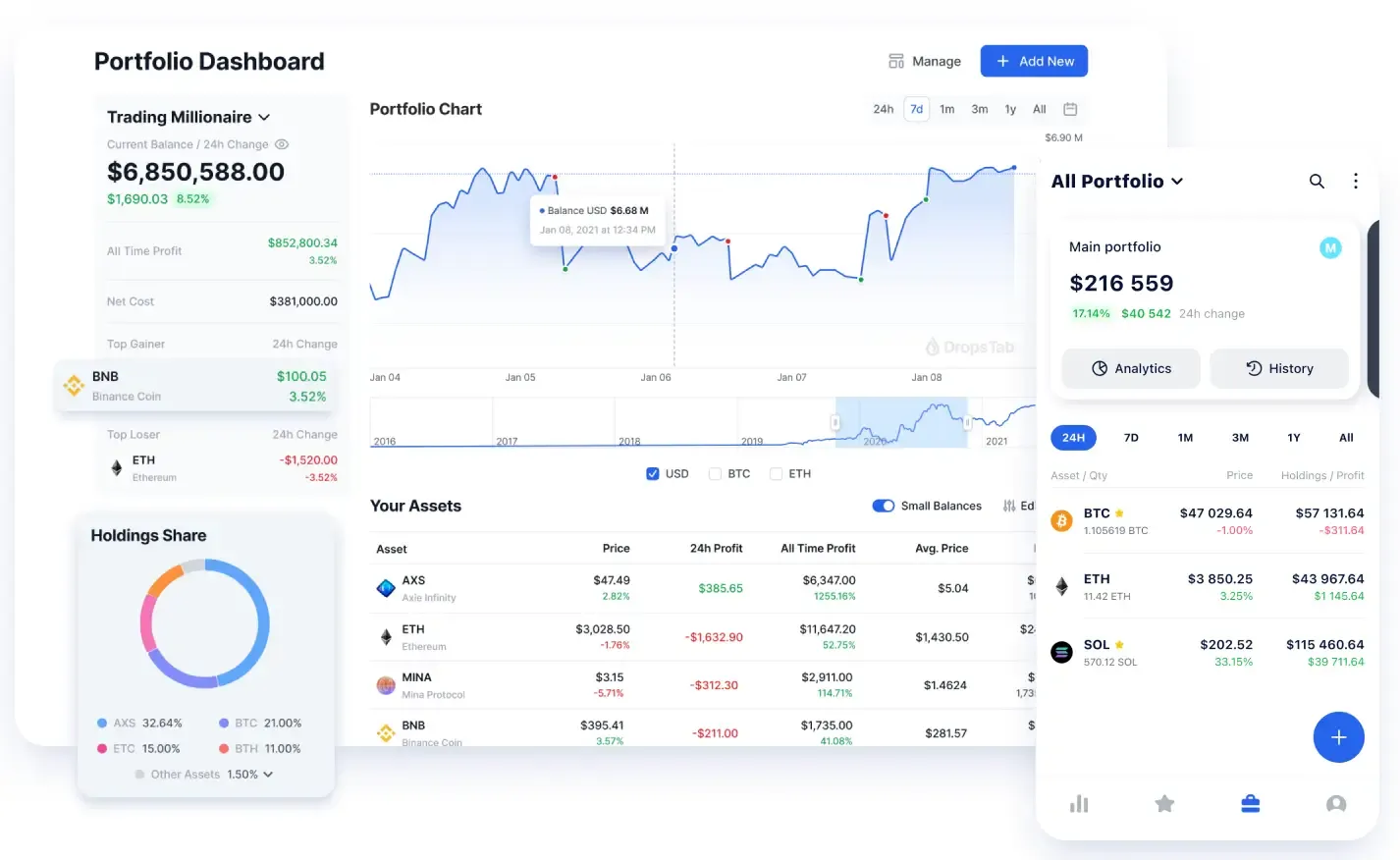
Portfolio Strategy Modeling
Strategy modeling is best used as a pre-check, not a planning exercise.
Before rebalancing, you can create a hypothetical version of your portfolio with adjusted weights and compare how concentration, sector exposure, and volatility change. If the structure improves, execute. If it doesn’t, don’t.
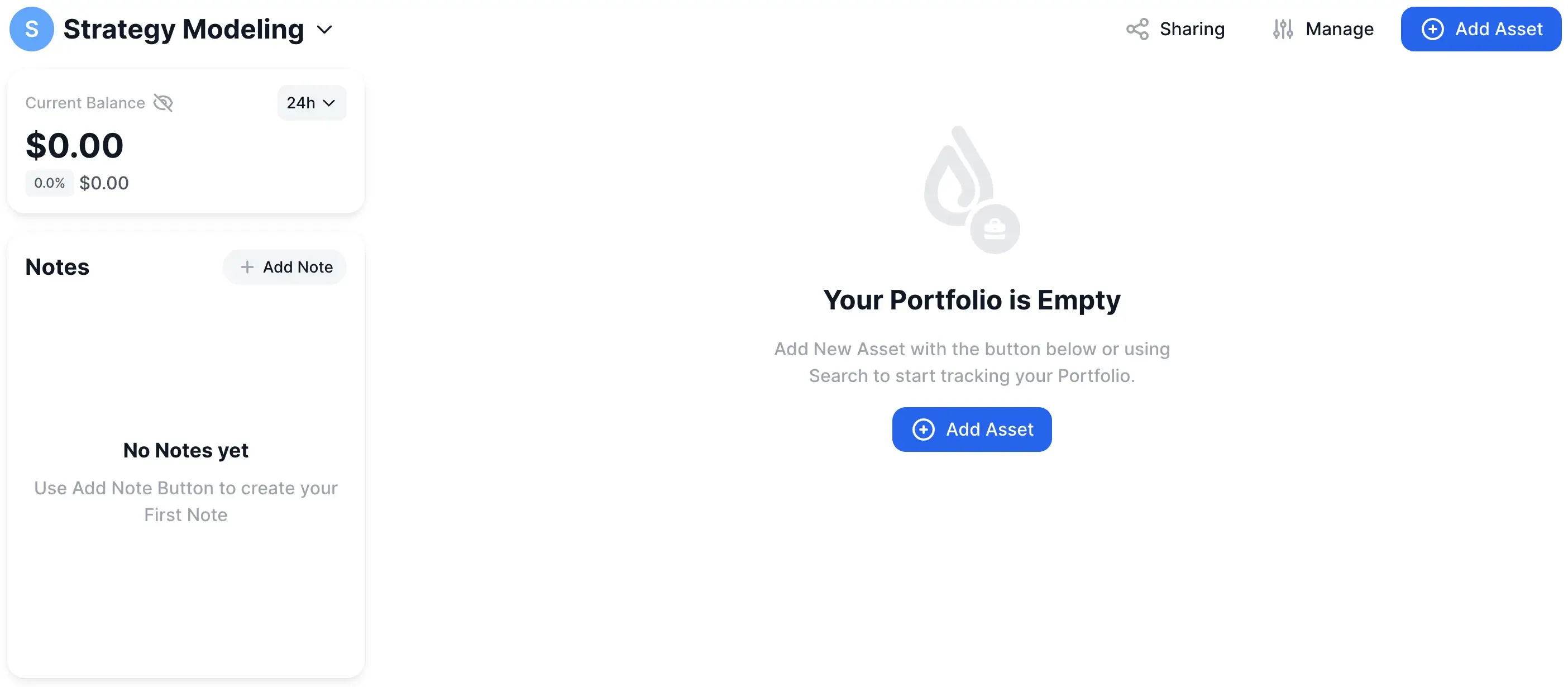
Cryptocurrency Ecosystems Visibility
Track exposure by thesis, not by chain.
A portfolio can span multiple blockchains and still be concentrated in a single idea — DeFi, infrastructure, RWAs — just expressed through different tokens. Looking at everything together makes it obvious where risk is actually clustering, instead of assuming diversification because assets live on different networks.
A simple example makes this concrete. Imagine you deliberately build a DeFi-focused portfolio and place three large positions inside it: UNI, HYPE, and LINK. For clarity, assume you buy each asset on January 1, 2025, allocating $1,000,000 per position. Nothing fancy. Same entry date, same notional size.
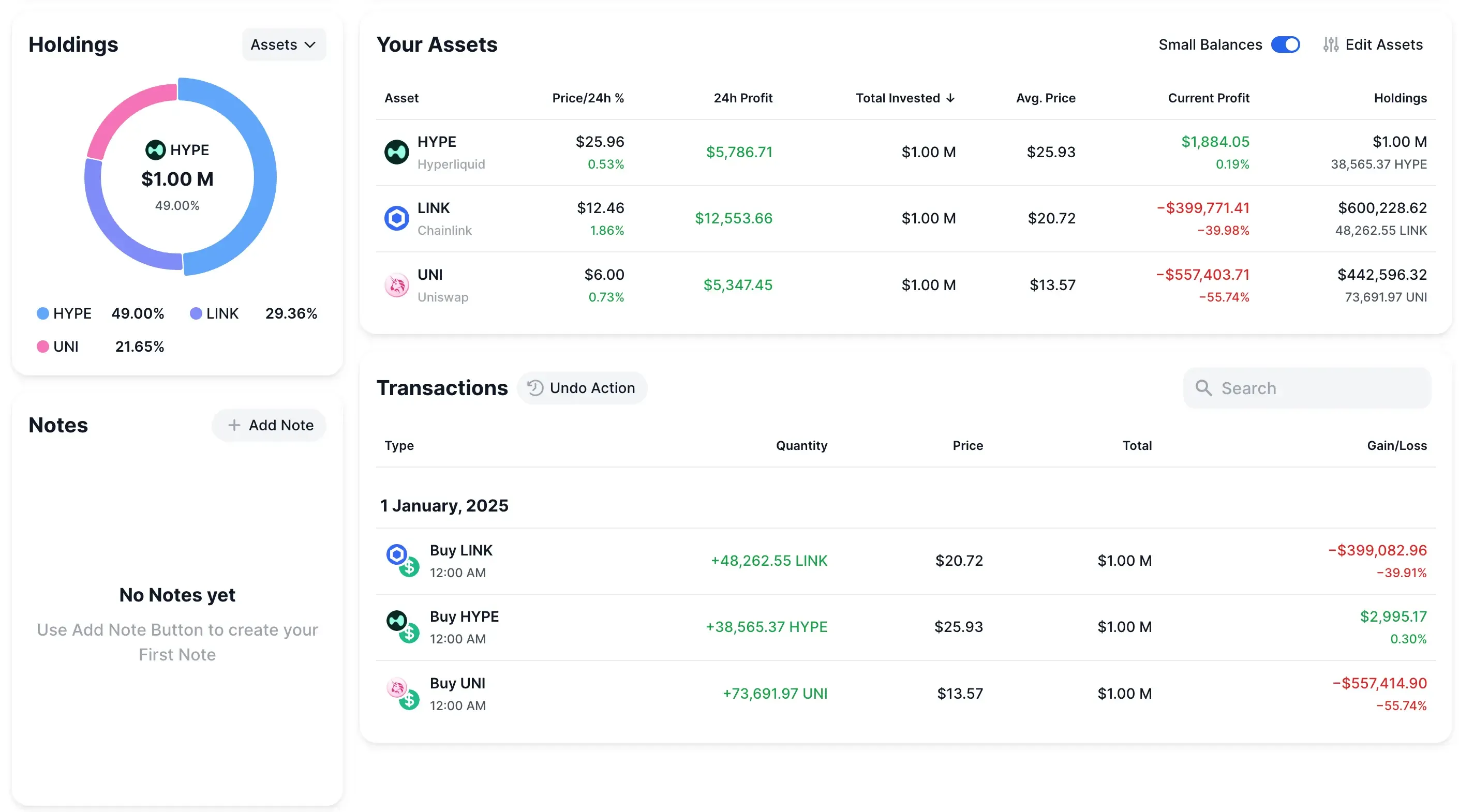
On paper, the assets look different. Different protocols, different narratives, different price paths. But inside a single portfolio view, the reality becomes clearer. You’re not tracking three unrelated bets — you’re tracking one idea expressed three ways. As prices move, you can immediately see which leg is driving returns, which one is dragging performance, and how concentration shifts over time as one asset outperforms the others.
That’s the value of ecosystem visibility. Instead of guessing whether you’re “overexposed to DeFi,” you can watch it happen in real time. If UNI quietly shrinks while HYPE grows into half the portfolio, the risk profile of your DeFi thesis has changed — even if the theme hasn’t. Seeing that early gives you options.
DropsTab Public Portfolios
Use public portfolios as a context check, not a signal to copy.
They’re useful because they show behavior over time — how allocations shift, which themes grow quietly, and where conviction fades without announcements. The value isn’t in mirroring trades. It’s in pressure-testing whether your own portfolio is drifting out of sync with broader positioning.
A practical way to use this is through the portfolio discovery tabs:
- You can follow portfolios you trust, and all of them appear in the “Following” view — a live feed of activity changes and P/L updates. It becomes a passive signal stream, not something you have to monitor actively.
- If you want broader context, the “Trending” tab surfaces portfolios gaining attention right now — often because they’re outperforming or simply being watched by a large number of users.
- Separately, the “Newest” tab shows recently published public portfolios. These come from two sources: users who choose to share their strategies publicly, and the DropsTab team, which curates portfolios from well-known companies, funds, or public figures.
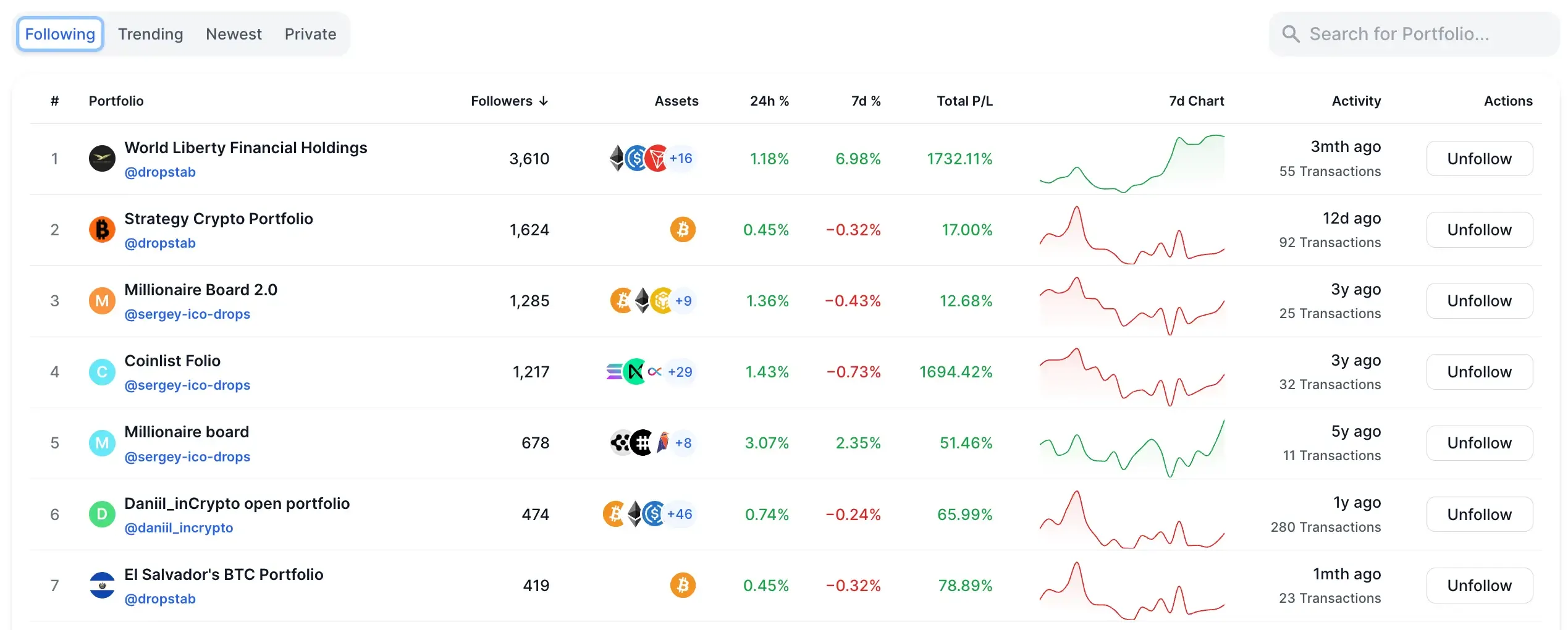
Seeing these side by side is where the insight comes from. Maybe several popular portfolios are increasing exposure to the same sector. Maybe high-follower portfolios are reducing risk while yours is quietly becoming more aggressive. None of that tells you what to do — but it tells you what to question.
Used this way, public portfolios act like a market mirror. They don’t replace your strategy. They help you notice when your positioning has stopped being intentional.
How to Set Up a Custom Portfolio
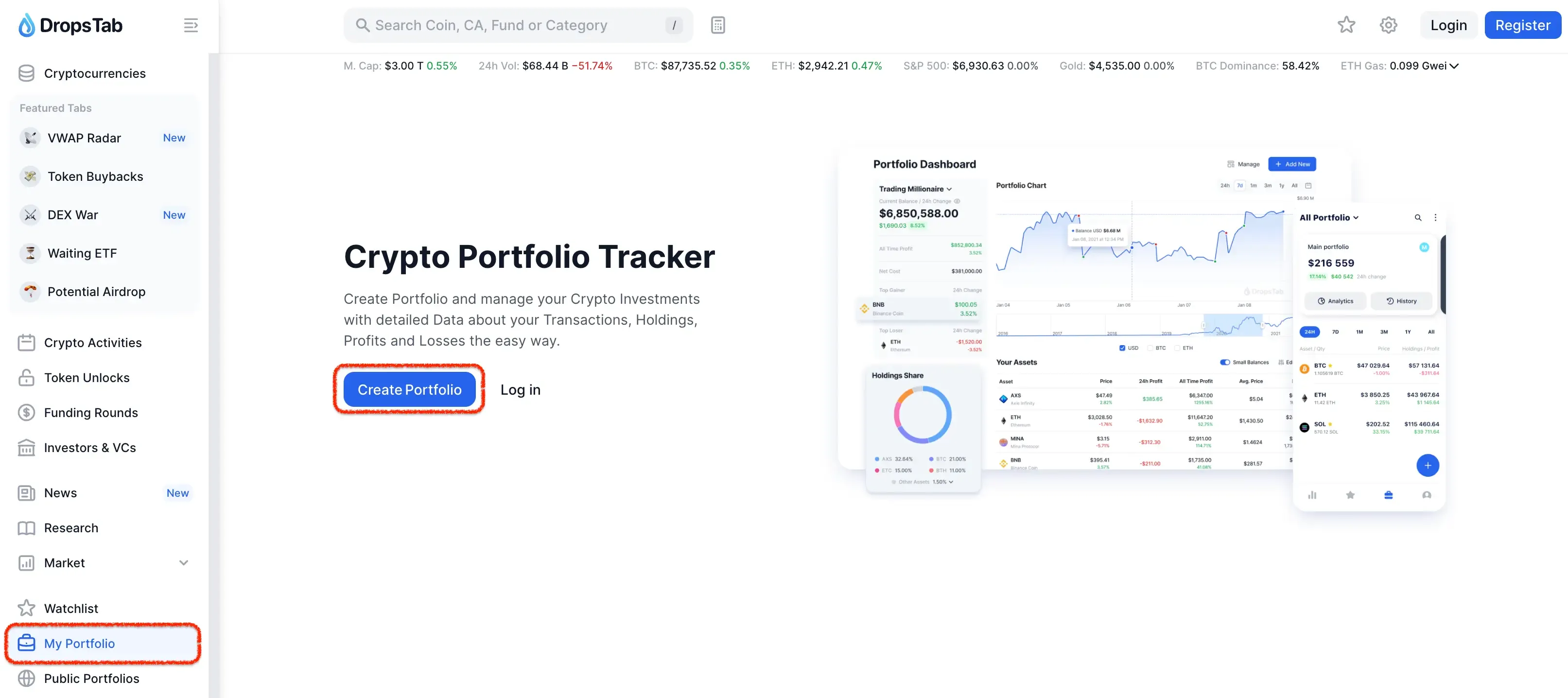
Start simple: go to “My Portfolio” in the left sidebar. That’s your home base for anything portfolio-related.
From there, click “Create Portfolio” to spin up a personal, private portfolio — not public, not discoverable, just yours. Think of it as a clean container where you can track positions, test allocation changes, and monitor drift without broadcasting your strategy to anyone.
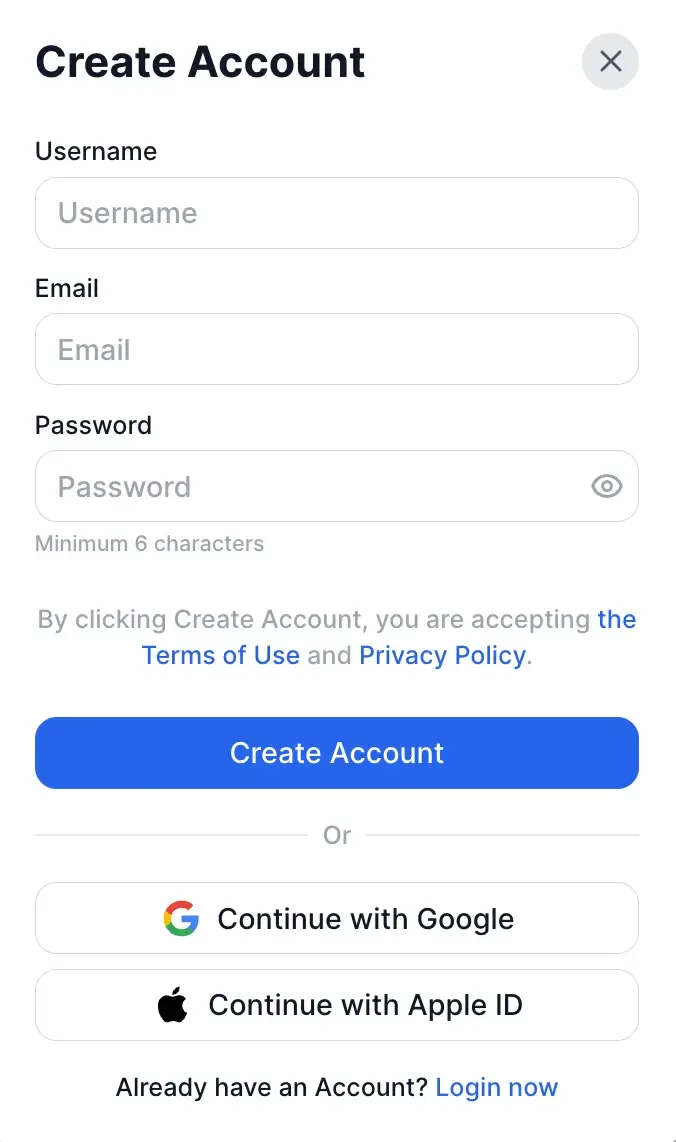
If you don’t have an account yet, you’ll need to complete a quick registration before you can manage a crypto portfolio.
The process is minimal by design. You can sign up with an email and password, or use Google or Apple ID to skip manual setup entirely. Once the account is created, your portfolios are tied to your personal profile, allowing you to save holdings, track performance over time, and return to the same data from any device.
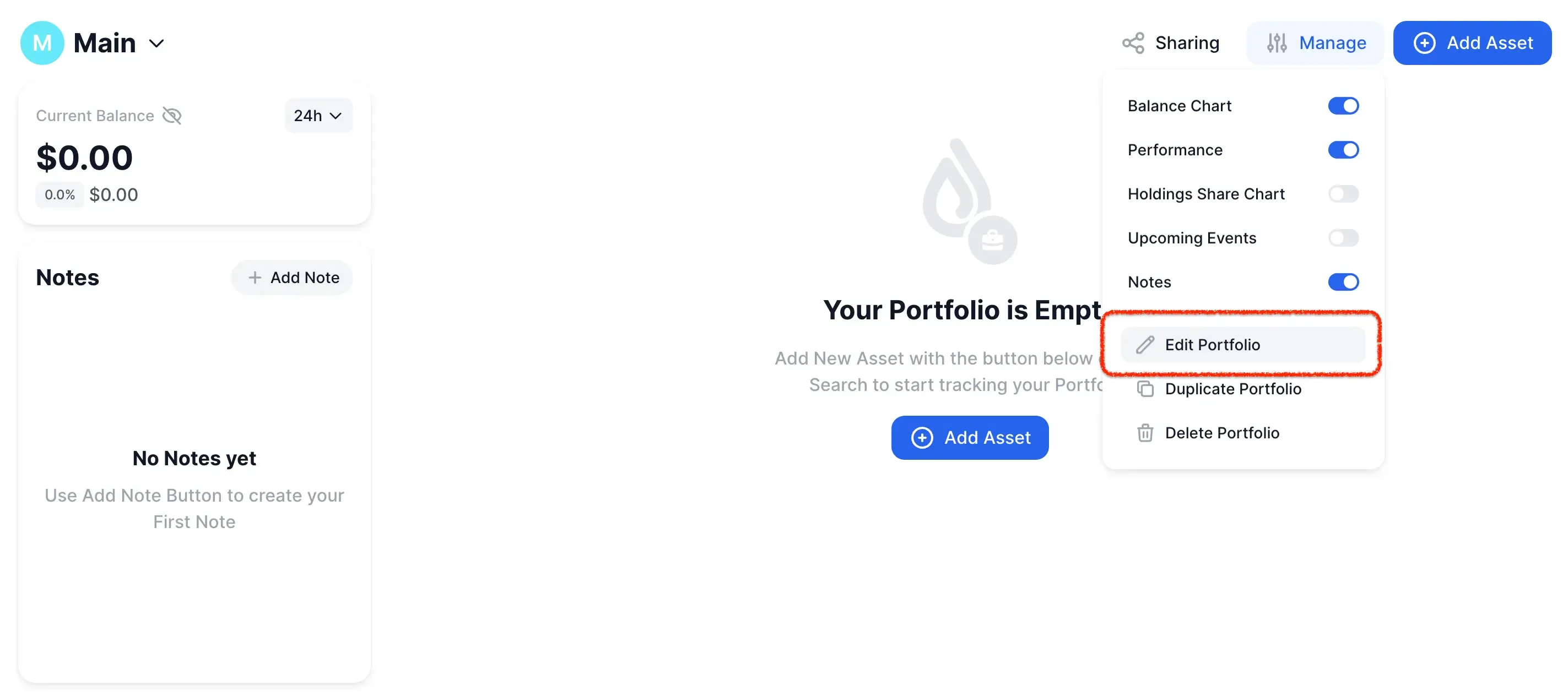
Once the portfolio is created, give it a clear, functional name.
Click “Manage” → “Edit Portfolio” and name it after the idea you’re tracking, not the assets inside it. Something simple works best: “DeFi”, “Strategy Modeling”, “Core Holdings”, “High Conviction”.
The name isn’t cosmetic. It sets intent. When you come back weeks or months later, you should immediately understand why this portfolio exists and what kind of risk it’s meant to represent. If the name feels vague, the structure usually is too.
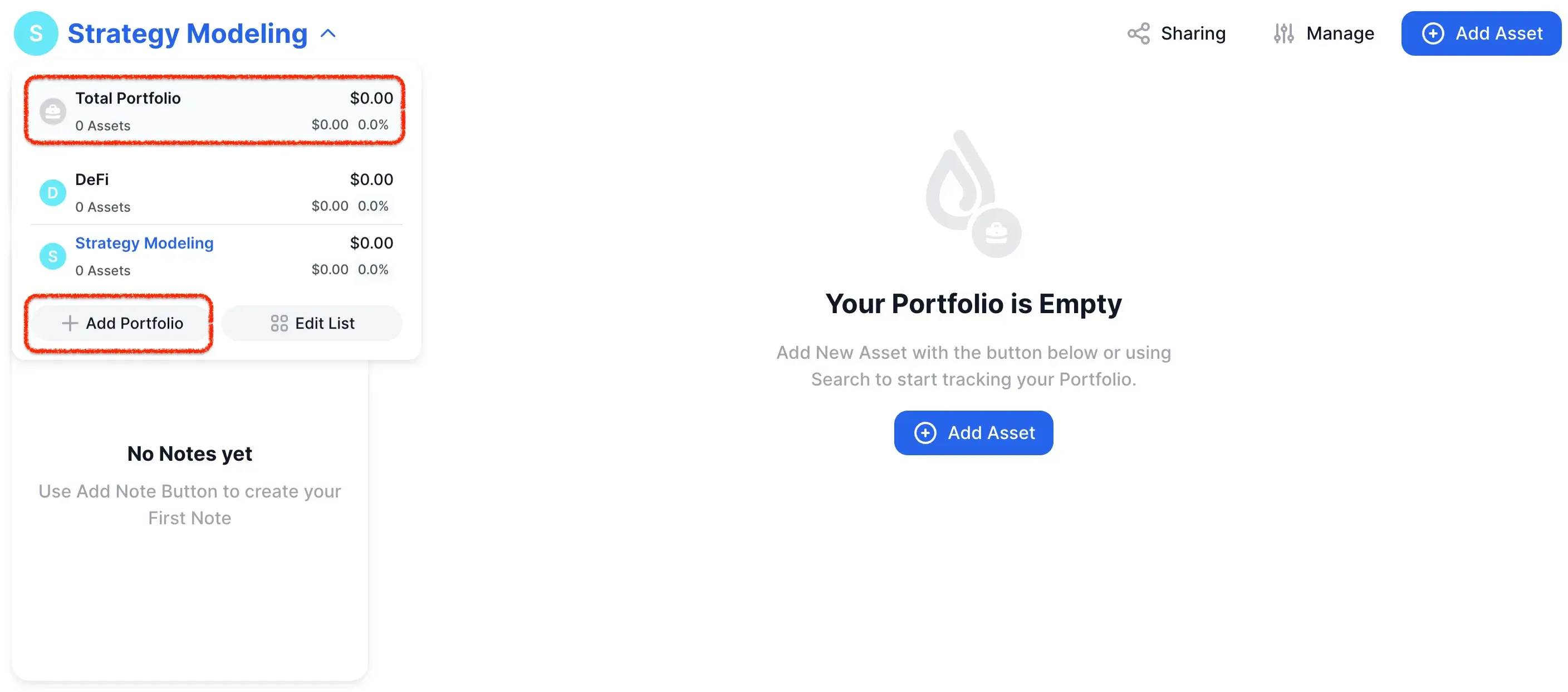
You’re not limited to a single portfolio. In practice, that’s where most tracking setups start to break.
You can create multiple portfolios based on whatever makes sense for how you think about risk: themes (DeFi, RWAs), blockchains, time horizons, or specific trading strategies. Each portfolio stays clean and focused, instead of mixing unrelated positions into one blurred view.
Once you’ve added more than one portfolio, DropsTab automatically unlocks “Total Portfolio”. This becomes your top-level lens — a combined balance and analytics view that aggregates all portfolios underneath it. You still analyze each strategy in isolation, but you also see the full picture: total exposure, overall concentration, and how different strategies interact.
That split matters. Individual portfolios help you stay disciplined at the strategy level. “Total Portfolio” tells you whether, taken together, those strategies are quietly stacking the same risk.
Once the portfolio is set up, it’s time to add assets.
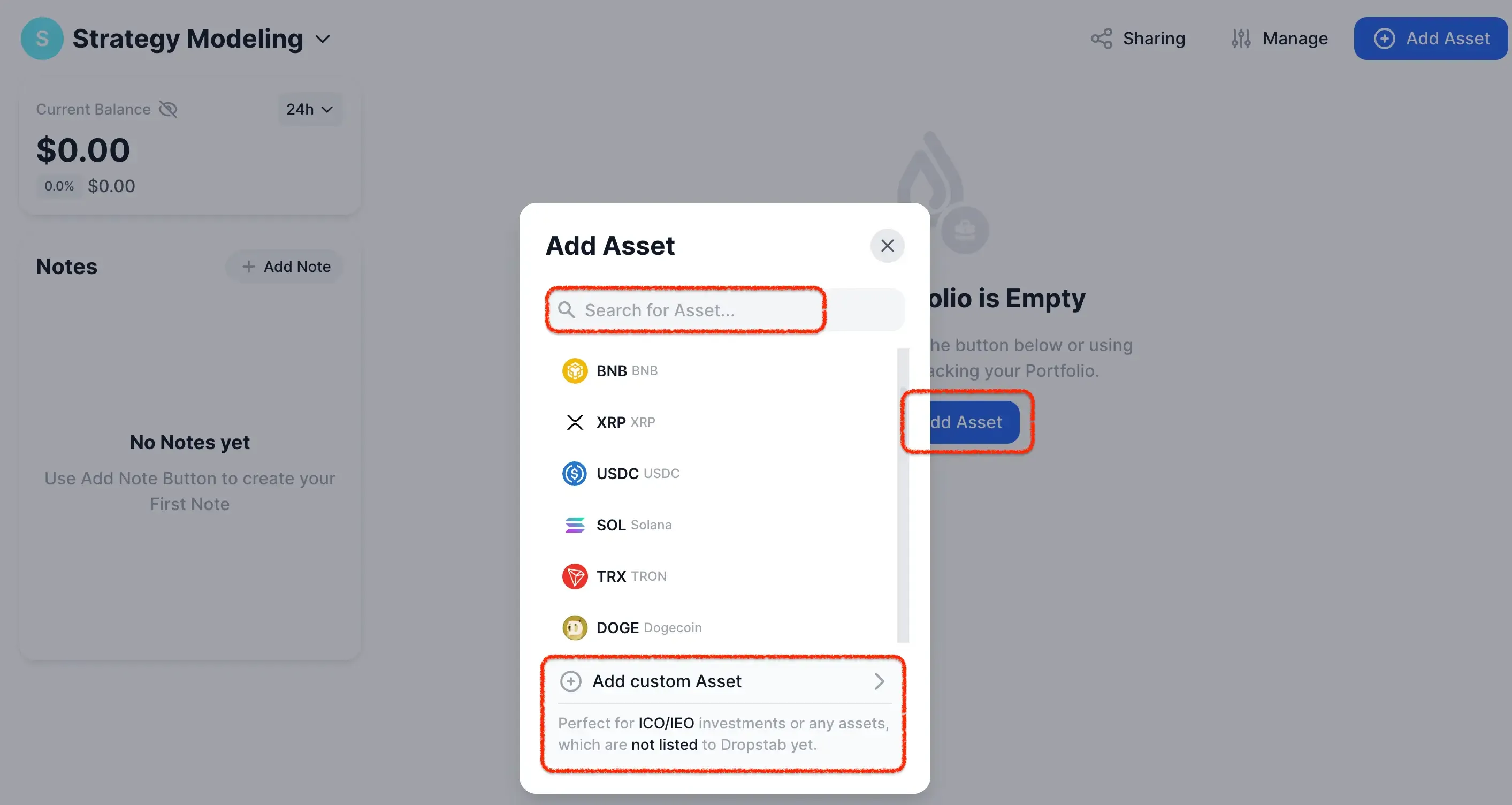
Click the central “Add Asset” button to open the asset selector. From there, you can simply start typing a ticker or project name — the search is usually faster than scrolling, especially if you already know what you’re looking for.
If the asset exists in DropsTab’s database, you’ll see it immediately and can add it in one click. If it doesn’t — for example, early-stage tokens, ICO/IEO investments, or niche assets — you can use “Add custom asset” instead. This lets you track positions that aren’t listed yet, keeping your portfolio complete even when the market data is still catching up.
The key here is accuracy, not convenience. If an asset belongs in your strategy, it belongs in the portfolio — even if you have to add it manually.
Tip: If you come across a promising project, add it to the relevant portfolio even if it’s still pre-market or doesn’t have a live token yet. DropsTab lets you track early ideas alongside active positions, so nothing gets lost between “interesting” and “invested.”
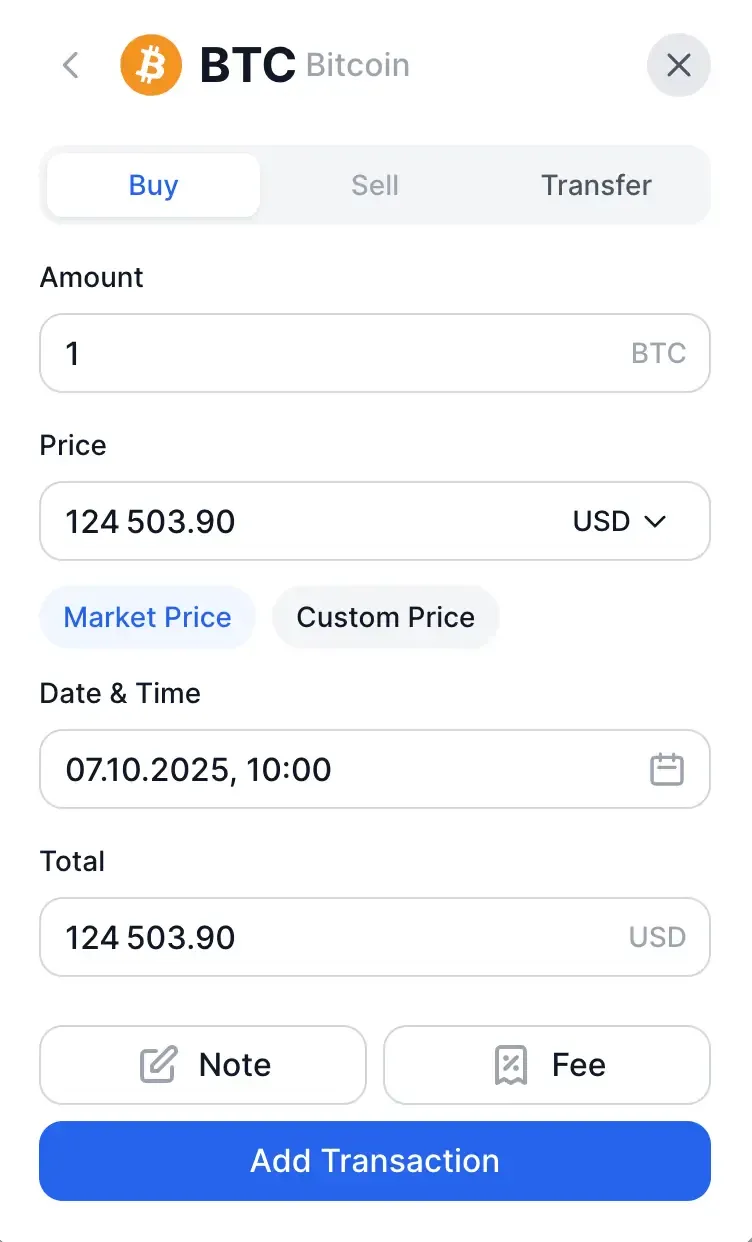
Once you’ve selected the asset, you’ll be able to record a transaction. This step defines how the position appears in your portfolio, so accuracy matters:
- Amount — the number of tokens you’re tracking.
- Date & Time — the moment of the virtual purchase. You can simply pick a specific day and time, and the price will automatically align with that market moment.
- Price — the price at which the purchase is recorded. You can keep the market price or enter a custom one if needed.
- Total — the total USD value of the transaction, calculated from amount and price.
- Note — optional, but useful. Add context: thesis, reason for entry, or what you’re waiting to see next.
- Fee — any transaction fee you want included; it’s added to the total cost so ROI reflects reality.
This isn’t about recreating perfect trade history — it’s about building a portfolio that reflects decision logic. Click “Add Transaction” after filling in the required fields.
Tip: add assets exactly as held, using native quantities, so allocations reflect reality. Small input errors compound quickly when you’re tracking drift and concentration.
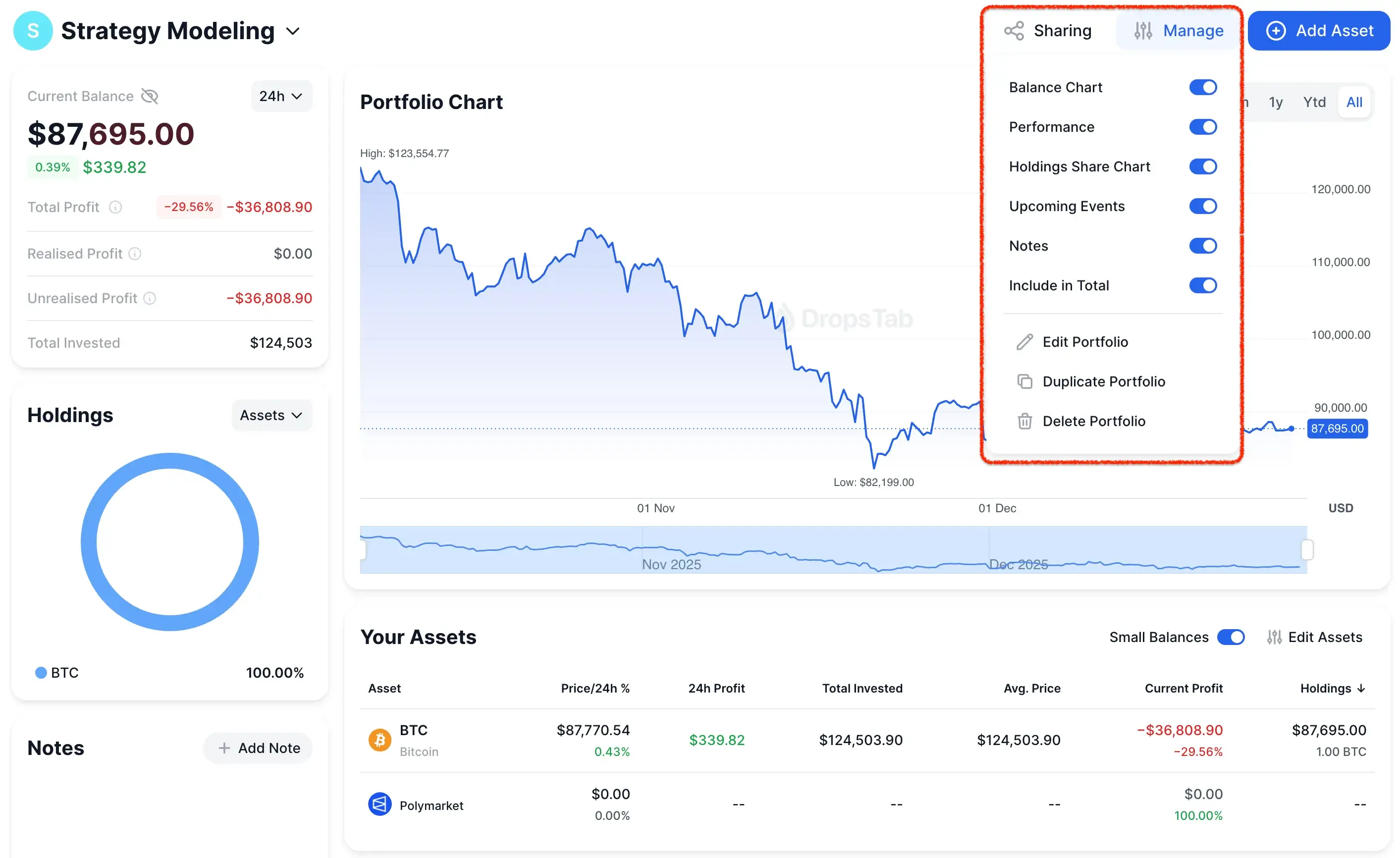
Once assets are added, you’ll want to control how the portfolio is displayed and interpreted. That happens through the Manage menu.
Click “Manage” in the portfolio view to toggle which charts and data blocks are visible:
- Balance chart — shows how total portfolio value evolves over time.
- Performance — highlights profit, drawdowns, and return dynamics.
- Holdings share chart — visualizes concentration by asset.
- Upcoming events — surfaces token unlocks and other relevant events tied to holdings.
- Notes — keeps your reasoning and context visible alongside the data.
- Include in total — decides whether this portfolio is counted inside Total Portfolio analytics.
This is also where you can adjust the portfolio itself: edit the name, description, and avatar, duplicate it for scenario testing, or delete it entirely if it’s no longer relevant.
Beyond analytics, there’s a sharing layer. You can make the portfolio public, allowing it to appear in the global leaderboard of public portfolios on DropsTab. Or you can keep it private but share access via a direct link — useful if you want feedback from a friend, a DAO, or your community without broadcasting the strategy to everyone.
In practice, this is where a portfolio turns from a static list into a living object: configurable, explainable, and shareable on your own terms.
Tip: once assets are in, focus on a narrow set of views that surface risk fast — balance chart and holdings share percentage.
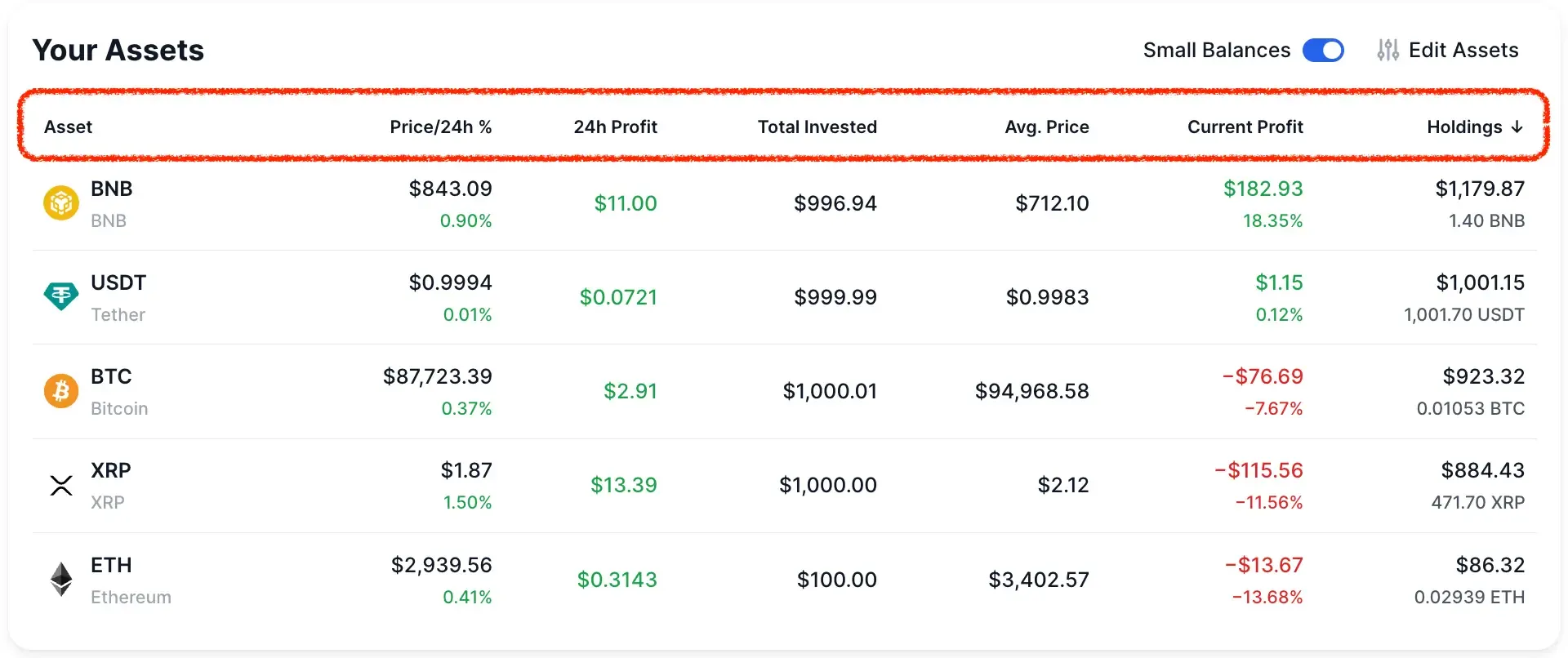
Once assets are in place, the asset table becomes your fastest diagnostic tool — if you know how to sort it. Use the column headers to quickly answer different questions:
- Current Profit / 24h Profit — sort by these columns to see what’s actually driving performance right now. This helps separate short-term movers from positions that are flat or quietly bleeding.
- Avg. Price — sorting here surfaces entries that are far from current market levels. It’s a quick way to spot poorly timed entries or positions that may need review.
- Total Invested — shows where most of your capital is allocated. Useful for identifying liquidity concentration and checking whether capital distribution still matches your intended structure.
- Holdings (USD) — ranks positions by current dollar value, not token count.
Think of sorting as changing lenses. You’re not changing the portfolio — just the question you’re asking. And when the answer feels uncomfortable, that’s usually the point.
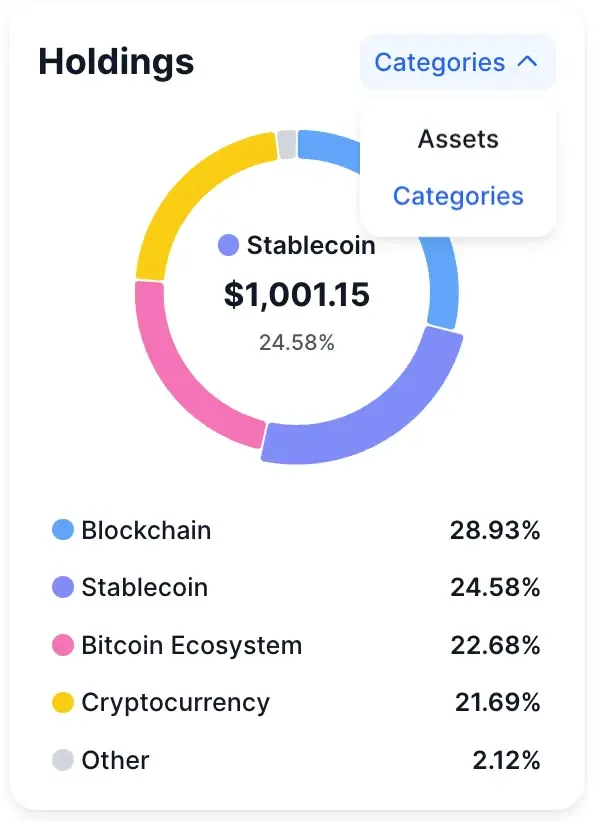
Rank by allocation to spot concentration. Use the “Categories” filter to check whether removing an asset breaks the portfolio’s logic.
This reframes the portfolio from what you hold to what ideas you’re exposed to. Instead of seeing individual tokens, you see capital grouped by themes — blockchain infrastructure, stablecoins, Bitcoin ecosystem, and so on.
This is one of the fastest ways to tell whether diversification is real, or just cosmetic.
Conclusion
DropsTab portfolios are built to help you see what’s happening in your portfolio, not to push you into action.
By tracking performance, exposure, and allocation changes in one place, the tool makes it easier to spot drift, concentration, and structural changes as they develop. That visibility helps you understand whether your portfolio still matches your intent — before deciding to adjust anything.
It’s worth noting that DropsTab portfolios are non-custodial and view-only — a distinction that matters, especially as scammers increasingly fake portfolio dashboards and impersonate support.