
Product
How to Create a Telegram Bot to Monitor Crypto Token Unlocks
Want to track token unlocks? With just a few lines of Python and the DropsTab API, you can build a real-time Telegram bot that alerts your community before major supply events shake the market.
Quick Overview
- Token unlocks can significantly affect price and supply.
- DropsTab API provides real-time unlock data via
/tokenUnlocks. - You can filter and send alerts using Python and Telegram.
- Price and supply data from
/coinsadds context to alerts. - One API powers it all — easy to scale, free to start.
- 1. Why Track Token Unlock Events?
- 2. The Challenge of Tracking Vesting Schedules
- 3. DropsTab API – Bridging the Data Gap
- 4. Getting Started: Accessing the DropsTab API
- 5. Fetching Upcoming Token Unlocks via API
- 6. Filtering Significant Unlock Events
- 7. Sending Alerts to Telegram in Real Time
- 8. Ways to Run Your Bot
- 9. Expanding the Use Case
Why Track Token Unlock Events?
Some tokens are "locked up" for a while after they're created. This means they can't be traded right away. These lockups are usually there to keep team members or investors from selling too early. But once the lockup ends, those tokens can hit the market all at once.
When a lot of tokens unlock at the same time, the total supply goes up fast. That can lead to a drop in price because more people may start selling. These unlock events can really affect how a token performs in the market.
Tracking unlocks isn't just about watching a countdown — it's about understanding how locked supply props up price and what happens when that support disappears. As @digitalartchick puts it:
“Supply control is bullish, but when those coins enter circulation, it forever weighs down the coin.”
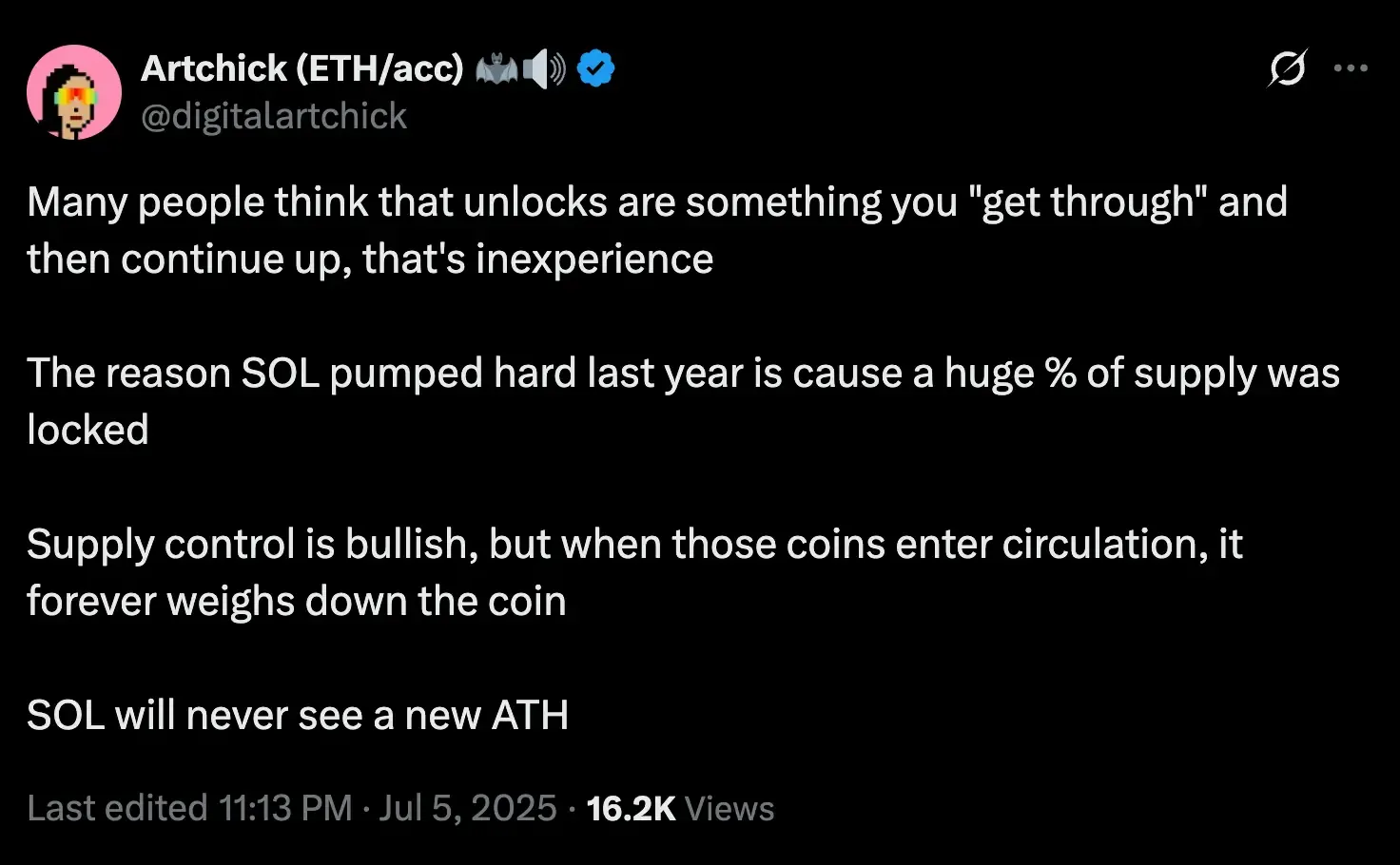
This underscores why token unlocks aren’t just events to “get through” — they fundamentally shift the token’s market dynamics.
If you know about an upcoming unlock in advance, you can be ready. Let’s say a project is about to unlock 20% of its total supply tomorrow — people who got in early might sell. Sending a Telegram alert before that happens gives your community a heads-up.
Price charts don’t always show the full picture. They tell you when something happened, but not why. Tracking token unlocks gives you the "why".
The Challenge of Tracking Vesting Schedules
Even though token unlocks are important, they’re surprisingly hard to track. Popular APIs like CoinGecko or CoinMarketCap show price and volume data, but they don’t include info on token unlock events or vesting timelines. These platforms focus on what’s happening now or in the past, not what’s coming next.
On-chain analytics tools like Nansen can show wallet movements or whale activity, but they also don’t offer a simple way to see upcoming unlocks. You can’t just call a function like getUpcomingUnlocks() and get what you need.
Because of that, many developers try to collect the data manually: reading whitepapers, following blog posts, or analyzing blockchain contract transactions. Others turn to tools like Dune or Bitquery, writing SQL or GraphQL queries to detect unlock events. These methods work, but they’re time-consuming, complex, and have to be built separately for each token.
There’s no standard way to access all unlock data in one place. It’s scattered, hard to update, and not real-time. That’s why developers need a unified API that makes tracking token vesting simple, accurate, and scalable.
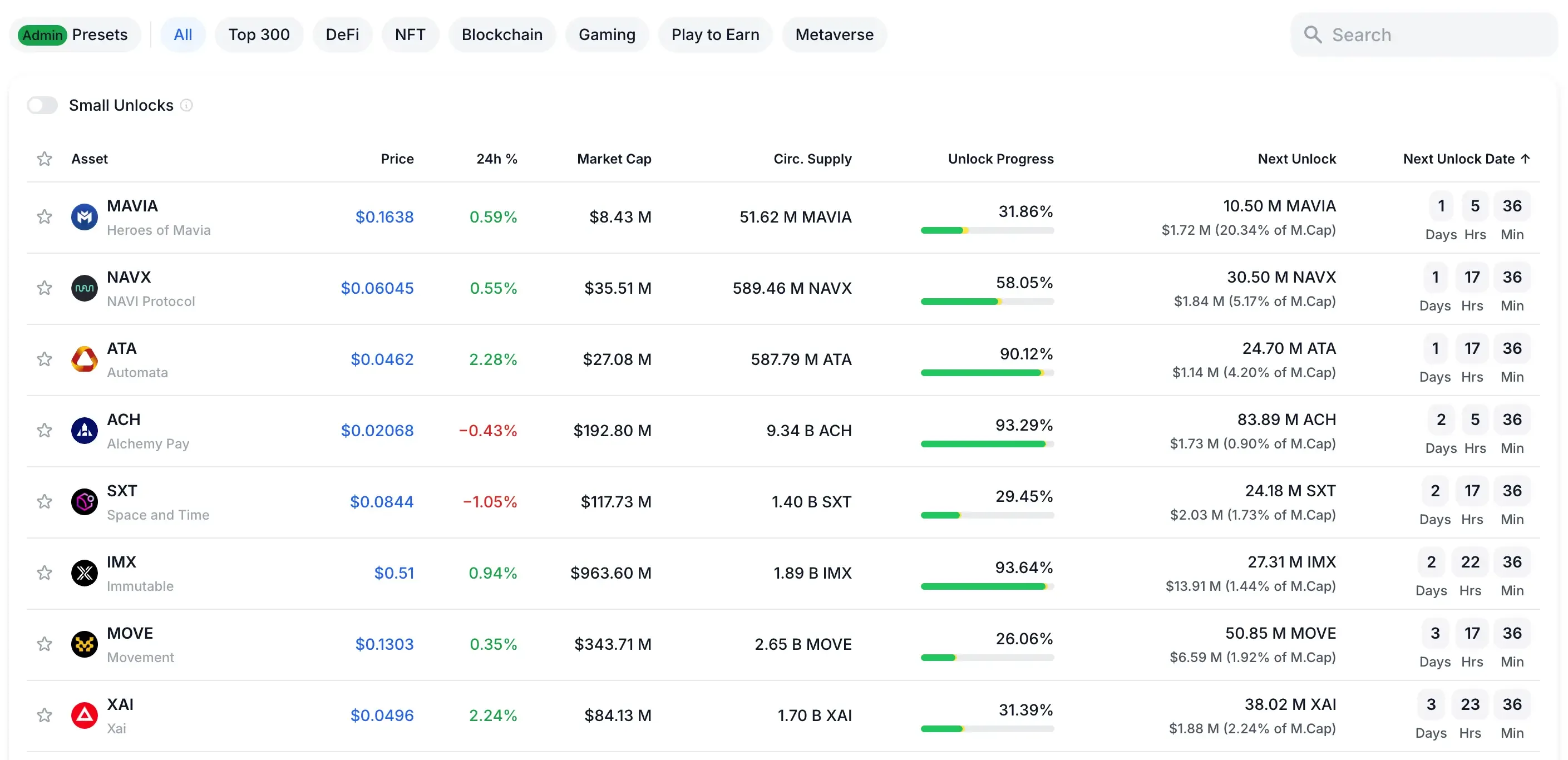
DropsTab API – Bridging the Data Gap
The DropsTab API makes it much easier to work with crypto data. It doesn’t just show prices and charts — it also gives you important details like token unlock schedules, funding rounds, and which investors hold what. You get both regular market info and deeper token data in one place.
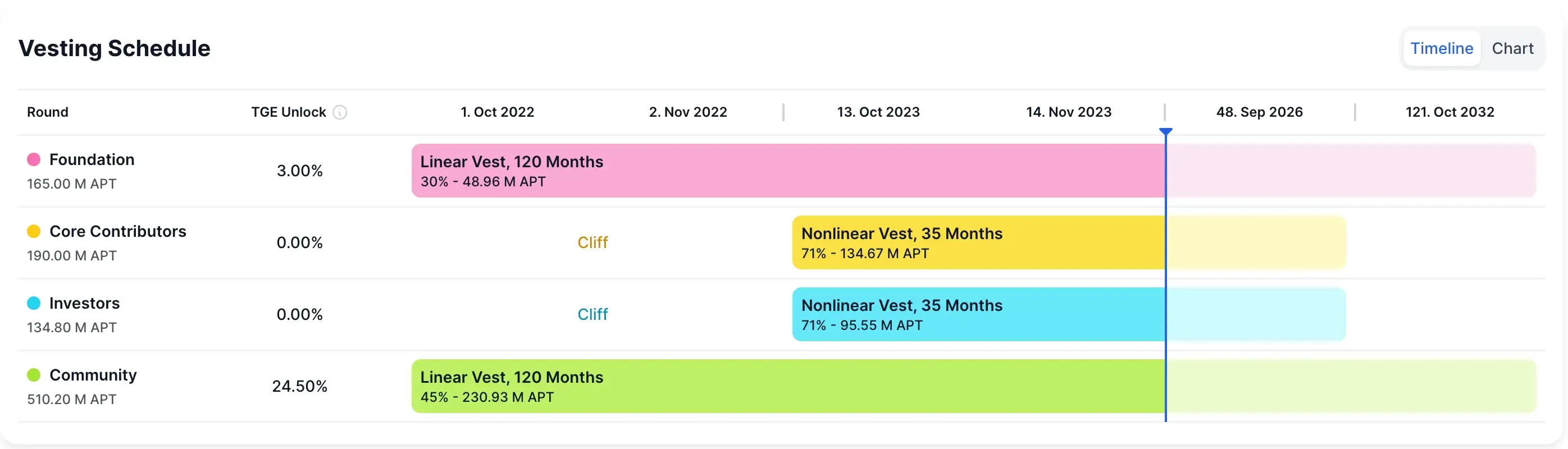
It’s like combining CoinGecko and Nansen into one API, but with an extra feature most others don’t offer: unlock tracking. So instead of switching between different platforms, you can use DropsTab to get a full view of any token project.
When it comes to unlocks, these two API calls are key:
GET/api/v1/tokenUnlocks– shows all tokens with unlock events coming up or already happening. You’ll see how much is still locked and what’s about to be released.
GET/api/v1/tokenUnlocks/{coinSlug}– gives a detailed unlock schedule for one specific token. It shows dates, how many tokens are unlocking, and who they’re for (like team or early investors).
There are also other helpful endpoints:
supportedCoins– shows all tokens with unlock data
chart/{coin}– lets you plot unlock activity over time
Since this data is available through an API, you can build bots or dashboards that track unlocks automatically. No more guessing when big releases are coming — your app or bot can alert people ahead of time.
Getting Started: Accessing the DropsTab API
Before building your Telegram bot, you need to get an API key from DropsTab. This key gives you permission to use their data in your project.
Here’s the good part: If you're a student, indie developer, or part of a hackathon, you can get the key for free by joining the DropsTab Builders Program. This gives you access to important data like token unlocks for at least 3 months — without paying anything.
Once you receive your API key (a long mix of letters and numbers), keep it safe and don’t share it. You'll need to include it in your requests like this:
Authorization: Bearer YOUR_API_KEYAll API requests go through this base URL: https://public-api.dropstab.com/api/v1/
Try It Out in Terminal
You don’t need to write a full program to check if it works. Open your terminal and use curl to make a quick test. Here’s how to get Bitcoin’s price on August 1, 2025:
curl -H "Authorization: Bearer YOUR_API_KEY" \
  "https://public-api.dropstab.com/api/v1/coins/history/price/bitcoin?date=2025-08-01"
This command will return the price data in JSON format.
To check upcoming token unlocks, use this command:
curl -H "Authorization: Bearer YOUR_API_KEY" \
  "https://public-api.dropstab.com/api/v1/tokenUnlocks"
How Many Requests Can You Make?
The free plan gives you:
- Up to 100 requests per minute
- 100,000 requests per month
That’s more than enough for a basic bot or tool. And if your project grows, you can switch to a higher-tier plan for more power — all without changing your code. The API stays the same.
Want more details? Check out the full API docs here: https://dropstab.com/products/commercial-api
Fetching Upcoming Token Unlocks via API
Once you’ve got your API key, you can use Python to check which tokens are about to unlock. The DropsTab endpoint /tokenUnlocks shows a list of tokens with unlock events coming up. It tells you the token’s name, unlock date, how much will be unlocked, and what percent of its total supply that is.
Here’s a simple Python example that sends a request to the API and prints out the info:
import requests

API_KEY = "YOUR_API_KEY"  # Replace this with your actual DropsTab API key
url = "https://public-api.dropstab.com/api/v1/tokenUnlocks"

headers = {"Authorization": f"Bearer {API_KEY}"}
response = requests.get(url, headers=headers)
data = response.json()

# Go through each unlock event and show the results
for event in data.get('data', []):
    coin = event.get('coin')
    date = event.get('date')
    percent = event.get('percentage')
    amount = event.get('amount')
    print(f"{coin} unlocks {percent}% of supply on {date} (about {amount} tokens)")
What the API Response Looks Like
{
  "coin": "Aptos",
  "date": "2025-08-12",
  "percentage": 1.13,
  "amount": 11300000
}
This example means that Aptos will unlock 1.13% of its supply (about 11,3 million tokens) on August 12, 2025.
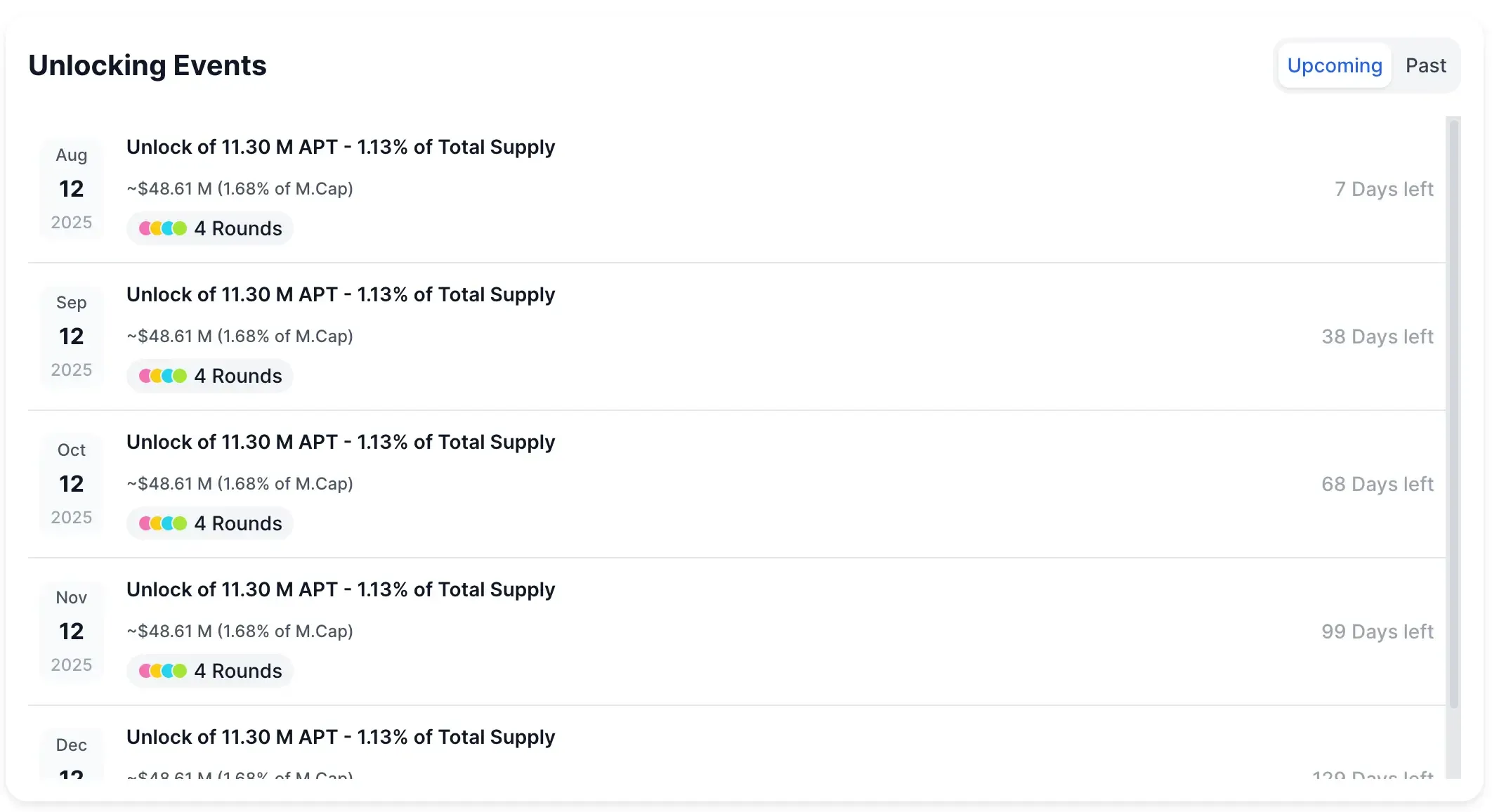
DropsTab gathers this info from public sources like whitepapers or blockchain contracts, so you don’t have to dig around yourself. If you want the full schedule for one token, just use /tokenUnlocks/{coinSlug} — for example: /tokenUnlocks/aptos.
But if your bot is watching many tokens at once, the general /tokenUnlocks endpoint is best. It gives you all upcoming unlocks in one go.
Some unlocks may also show extra info, like whether they’re for the team, investors, or the community. You can use this to make your alerts even more helpful.
Filtering Significant Unlock Events
Some are so small (like 0.5% of total supply) that they don’t really affect the market. If your bot alerts people on every little event, it’ll just annoy them.
To fix this, we can set a minimum threshold — a number that decides what’s worth alerting. A common choice is 5%. That means your bot will only send alerts if the unlock is 5% or more of the total token supply.
Here’s how you can add that filter in Python:
threshold = 5.0  # Alert only if unlock is 5% or higher

for event in data.get('data', []):
    percent = event.get('percentage', 0)
    coin = event.get('coin')
    date = event.get('date')

    if percent >= threshold:
        alert_text = f"ALERT: {coin} unlocks {percent}% of its supply on {date}!"
        print(alert_text)
This code checks each event and prints an alert only if it meets your chosen threshold. So if a token unlocks 3.2%, it won’t show up. But if another unlocks 10%, it will.
Some unlocks are designed with fairness or strategic distribution in mind. For example, as noted by World Liberty Financial:
“Only a portion of tokens purchased from the public sale that were bought at $0.015 & $0.05 will unlock initially – this directly rewards our early retail believers and no one else. Plus, treasury tokens purely to seed liquidity. This keeps the community the main focus.”
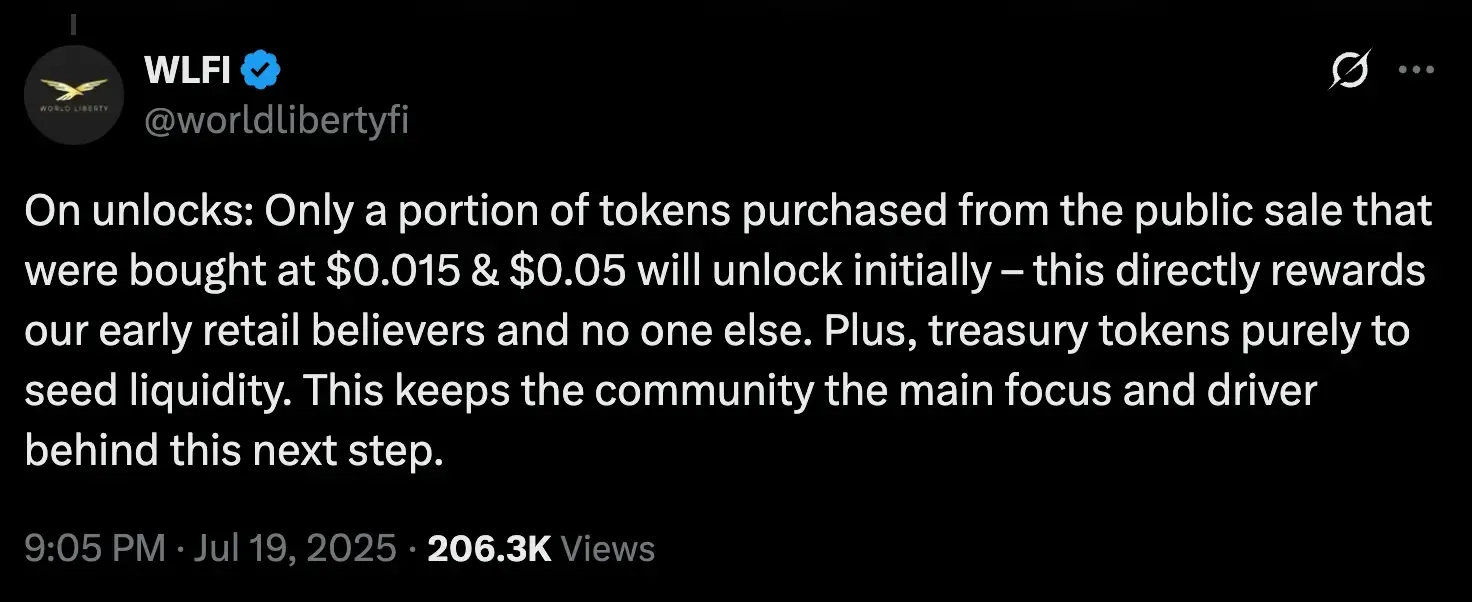
This shows why it's not just about how much unlocks, but who it unlocks for and why—another reason to contextualize alerts carefully.
You can change the threshold based on what kind of tokens you’re tracking. For small-cap coins, maybe 3% is a big deal. For big-name tokens, you might only care about events above 10%.
Also, since the unlock dates come in a standard format, you can sort them or add extra filters (like only looking at unlocks within the next 24 hours). You could even make your bot check once per day to keep alerts fresh and useful.
Sending Alerts to Telegram in Real Time
Once your script finds a big token unlock, it’s time to tell your Telegram users. The easiest way to do this is by using the python-telegram-bot library (version 20+).
Step 1: Create Your Telegram Bot
- Open Telegram and message @BotFather
- Type
/newbotto make a new bot and get your bot token - Save the token somewhere safe
- Choose where the bot will send messages (your own chat, a group, or a channel)
Step 2: Install the Python Library
Open your terminal and type:
pip install python-telegram-botStep 3: Send Alerts from Your Code
Add this to your script to send a message when a big unlock is found:
from telegram import Bot

BOT_TOKEN = "YOUR_TELEGRAM_BOT_TOKEN"  # your token from BotFather
CHAT_ID = "YOUR_CHAT_ID"  # your user ID or a group/channel ID

bot = Bot(token=BOT_TOKEN)

# Send a message when a big unlock is found:
if percent >= threshold:
    alert_text = f"🚨 Token Unlock Alert: {coin} will unlock {percent}% of supply on {date}"
    bot.send_message(chat_id=CHAT_ID, text=alert_text)
What the Bot Will Do
Your Telegram bot will send a message like this:
🚨 Token Unlock Alert: Aptos will unlock 1.13% of supply on 2025-08-12
The library handles everything in the background. Just make sure the bot is allowed to post in your chosen chat.
When Should It Send Alerts?
You don’t need to wait until the unlock happens. The DropsTab API gives you the unlock dates ahead of time. That means your bot can warn users early. You can:
- Run the script once a day to alert about unlocks coming in the next 24 hours
- Or run it every hour to catch events happening soon
Since DropsTab keeps its data updated in real time, your bot will always have fresh info. This setup is great for a simple alert bot. Later, you can improve it with scheduling or async features. But to start, all you need is a filter and a call to bot.send_message() to get alerts up and running.
Ways to Run Your Bot
You have a few easy ways to keep your bot running on a schedule:
1. Cron Job or Scheduler
Run your script once every hour or day. You can use:
cron(for Linux/Mac)- Task Scheduler (for Windows)
- A Python loop using
time.sleep()
The free DropsTab API plan gives you 100 requests per minute, so doing this hourly is no problem.
2. Cloud Functions
Use a serverless platform to run your bot automatically, like:
- AWS Lambda
- Google Cloud Functions
This way, you don’t need to keep your computer or server running 24/7.
3. Always-On Bot
If your bot has commands (like "/nextunlock Aptos"), you can run it all the time. Use polling or webhooks to listen for messages, and run your unlock checker in the background.
Expanding the Use Case
Now that your bot can grab unlock data, filter it, and send alerts, you can make it even more useful by adding more features from the DropsTab API.
As more projects experiment with alternative unlock models, bots can also track vesting changes or sudden TGE flips. For instance, Theoriq recently surprised the market by removing vesting entirely:
“We have removed the vesting terms from the community sale and all token allocations will be 100% unlocked at TGE.” (via @TheoriqAI, highlighted by @Va77ss)
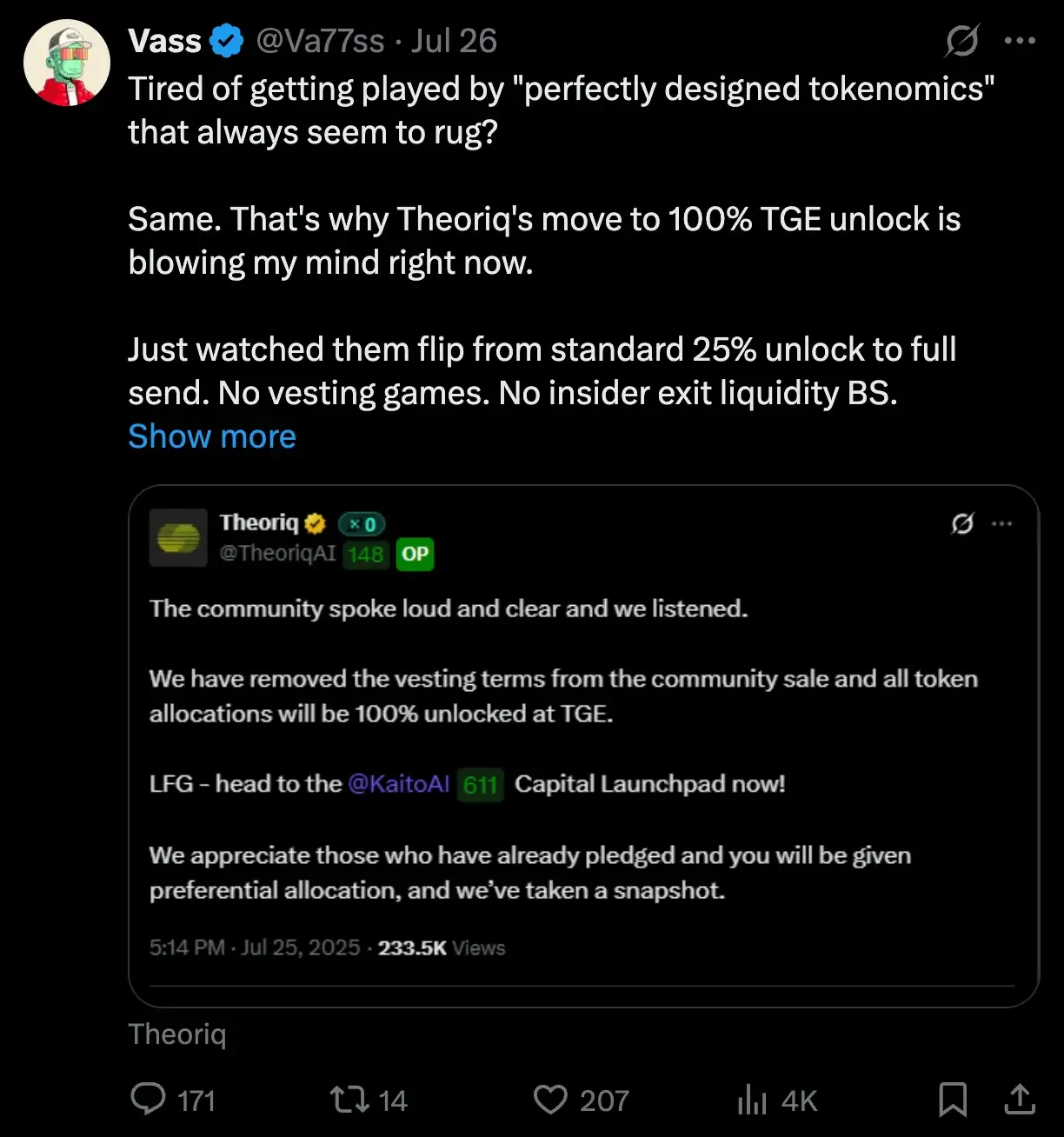
These shifts are worth alerting on — especially in a market skeptical of slow-drip vesting and insider-heavy unlocks.
New Types of Alerts
DropsTab doesn’t just show token unlocks. It also includes:
- VC funding rounds (
/fundingRounds) — when a project gets new investment - Investor portfolios (
/investors) — who owns what - Crypto activities (
/cryptoActivities) — like listings on exchanges or protocol upgrades
With this, you could:
- Send an alert when a token is listed on a new exchange
- Notify users when a project gets new funding
- Watch what big investors are doing and send updates
This would turn your bot into a full crypto news feed.
Add Token Price Info
Want to give users more context? You can pull price data using the /coins endpoint. Combine that with unlock alerts and show how much value is being released.
Example:
Token X unlocks 10% of supply tomorrow — that’s about $5 million at current price.
Adding price context helps users understand whether an unlock might trigger volatility or simply blend into broader trends. As Glassnode recently noted:
“Glassnode’s proprietary #Altseason Indicator fired… capital is flowing into $BTC and $ETH, and… the altcoin market cap is rising – a structural environment conducive to capital rotation.”
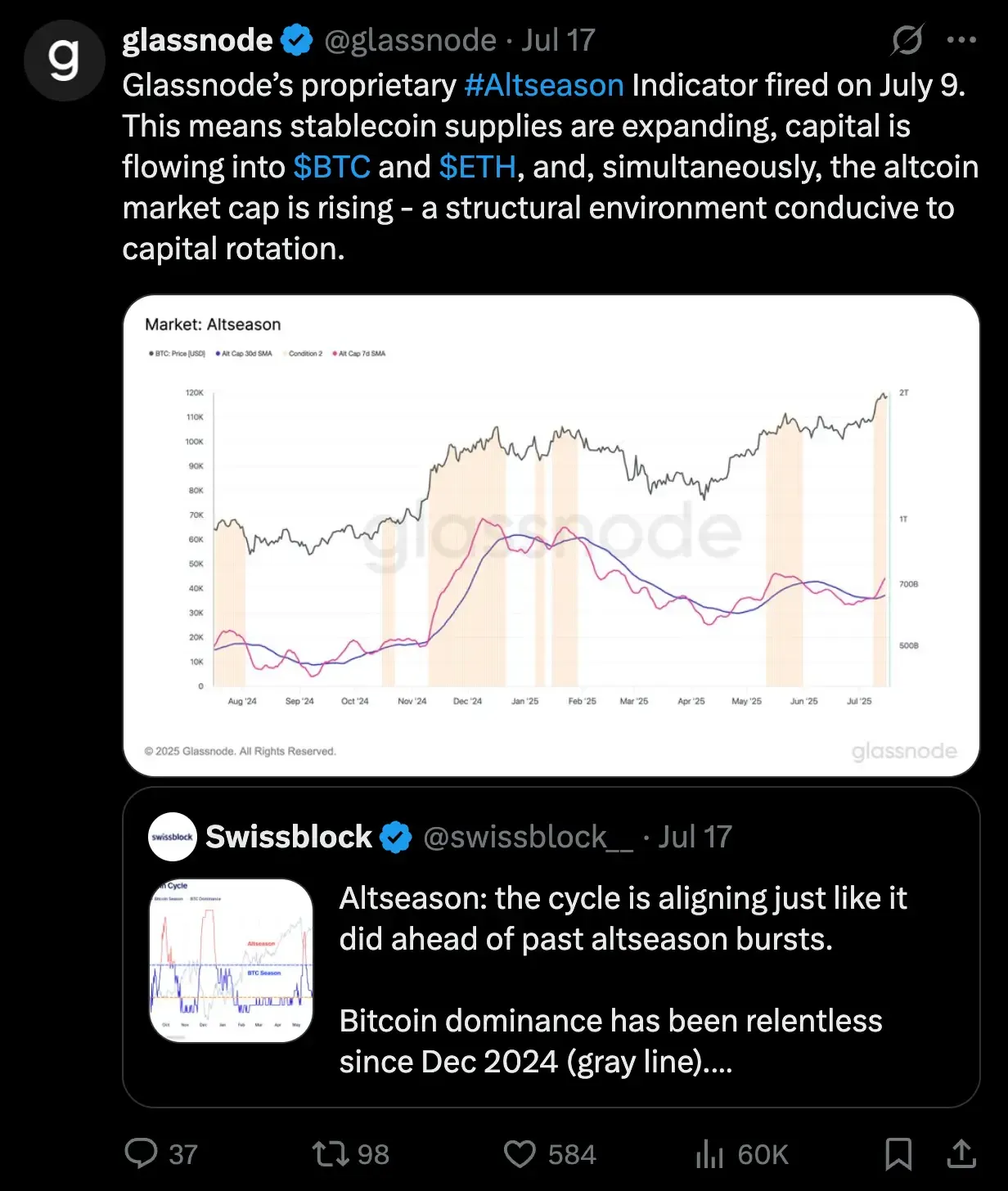
In this kind of environment, unlock events might coincide with increased demand—making some releases less bearish than they appear in isolation.
Keep It Simple — One API
All of this comes from one place — the DropsTab API. You don’t need to add extra services or tools. Just use different endpoints from the same API. It keeps your code clean and everything consistent.